Automations Relaunch
Mailjet’s Automation Builder had drifted. Multiple engineering handoffs had quietly introduced UI fragmentation — making complex marketing journeys hard to scan, reason about, and trust. I redesigned the system to restore visual hierarchy, clear branching logic, and user confidence, without a dedicated research phase and against locked delivery timelines.
The scenario blueprints I developed for high-value automation flows became the foundation for Mailjet’s pre-built template library. When the first shipped — the Abandoned Cart automation in January 2026 — the proof was clear: users more than doubled active flows compared to the previous system, and nearly 1 in 5 kept their automations running continuously.
Timeline:
Q1
-
Q2
Role:
Senior Product Designer

Mailjet Automations enables marketers to build event-driven journeys using triggers, delays, conditions, and actions. When I joined the relaunch at Milestone One, the product direction and technical foundations were already established. Scope was locked. The team was heads-down on delivery.
But the experience had quietly degraded. Multiple engineering handoffs over time had introduced UI drift across the builder — not all at once, but incrementally. The system worked. The experience didn’t.
The legacy builder showed consistent patterns of breakdowns:
Flat, visually undifferentiated blocks with little hierarchy
Inconsistent spacing, shadows, and alignment across components
Branching logic hidden inside dropdowns instead of expressed spatially
Limited editing capability for live flows, creating fear of unintended changes
Cognitive load that made “what happens next?” impossible to answer at a glance
There were no screaming errors. Just a slow erosion of confidence every time someone opened a complex flow. The problem wasn’t strategy or features — it was experience integrity.
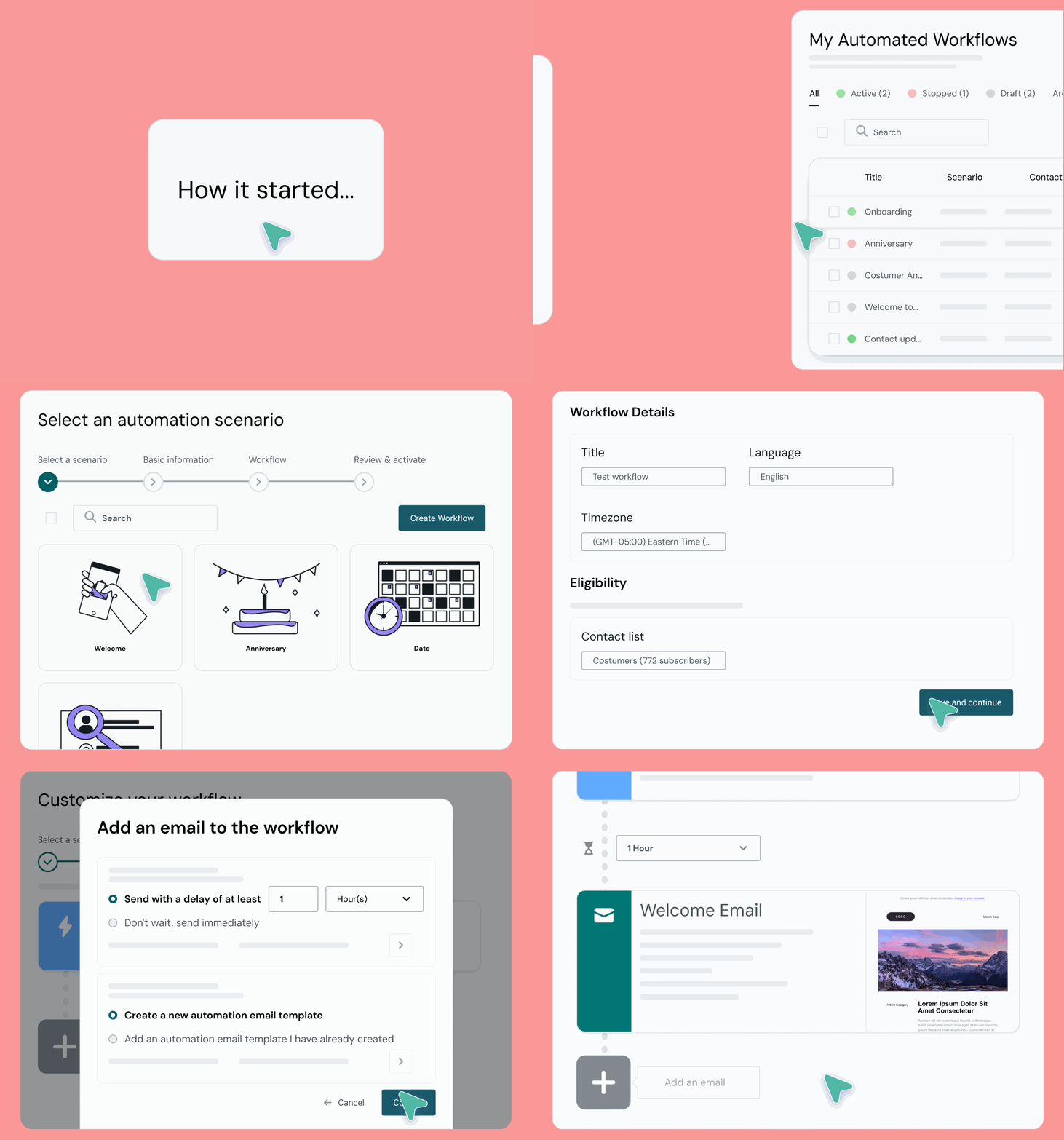
I joined at Milestone One with scope locked and the team focused on delivery. My remit was to translate validated product and engineering intent into a clear, predictable visual system that restored user confidence.
Redesigned node hierarchy and visual rhythm across the builder canvas
Replaced dropdown-based branching with spatially visible, on-canvas logic
Designed safe-edit guardrails including auto-save and live/draft state clarity
Built a pre-flight validation layer to catch errors before activation
Introduced a minimap for navigating long, horizontally expanding journeys
Unified the builder with the Sinch design ecosystem
Developed scenario blueprints covering ∸80% of real-world use cases, which became Mailjet’s pre-built automation template library
Traveled to Normandy, France for an onsite with core engineering to understand technical constraints firsthand
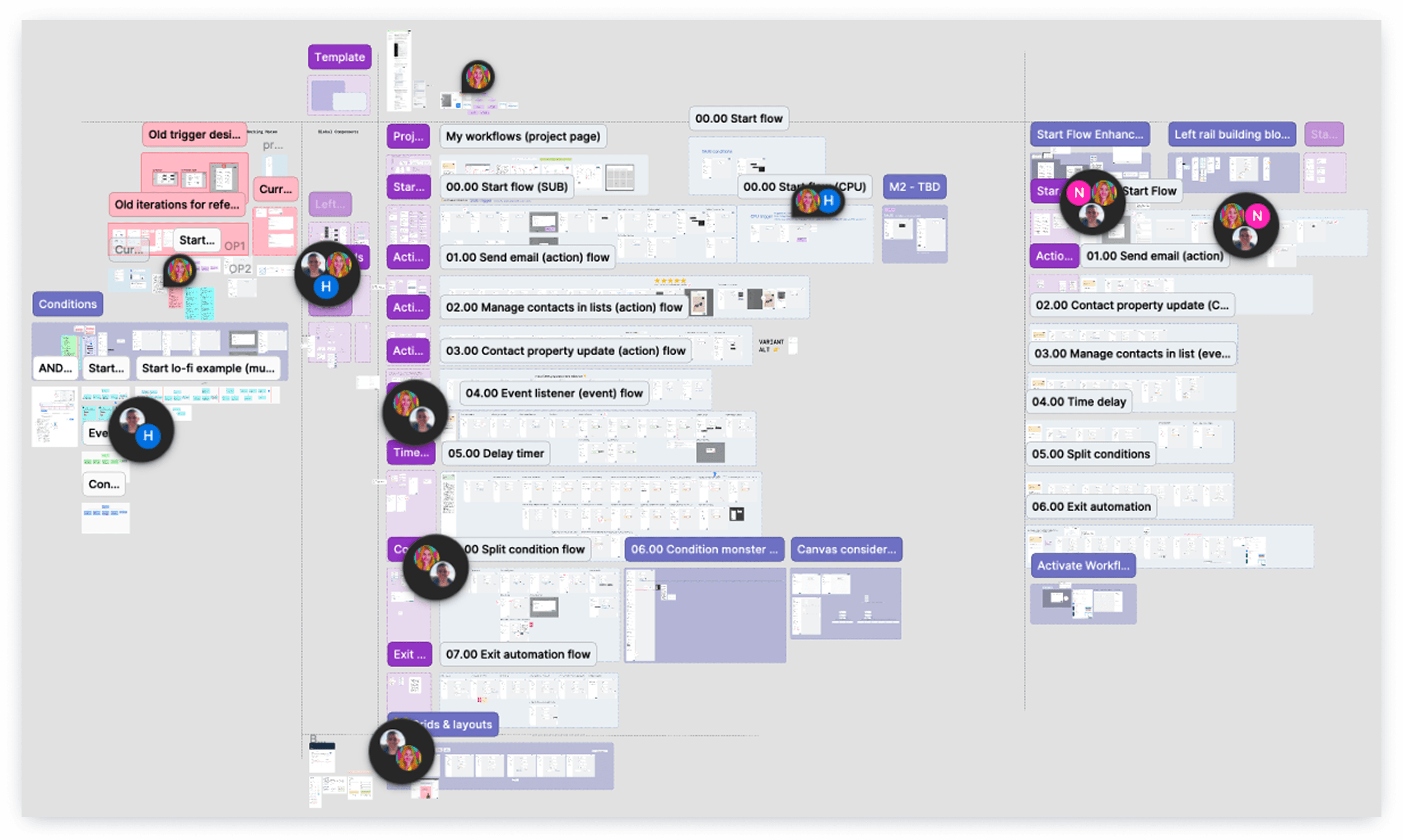
The largest and most complex design file I’ve led to date
No dedicated research phase. Tight timelines. Scope locked. That’s not an excuse — it’s a constraint worth designing around. The question was: how do you make grounded decisions when you can’t start from scratch? I built a lightweight research stack from what was available and adjacent.
Adjacent Research — Sinch Chatbot Workflow Builder
Validated insights from Sinch’s chatbot workflow research transferred cleanly to the automation context. Branching patterns, flow orientation, and step-based logic share the same cognitive demands whether you’re reading a conversation flow or a marketing journey. Borrowing from adjacent work meant I could move fast without skipping rigor.
Personas, Translated Into Specifics
Mailjet’s existing marketer and non-technical user personas shaped labeling, editing expectations, and inline guidance — moving from generalized needs to concrete UX decisions inside the builder itself. Marketers return to flows expecting consistency, reversibility, and confidence, especially when revenue and deliverability are on the line.
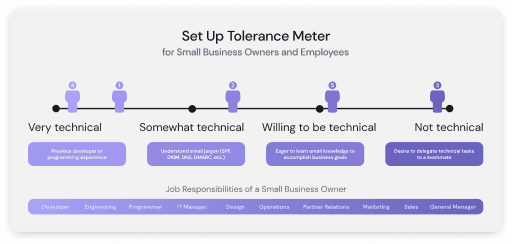
Journey-informed design artifact for cross-functional alignment
Scenario Blueprinting (~80% of Real Use Cases)
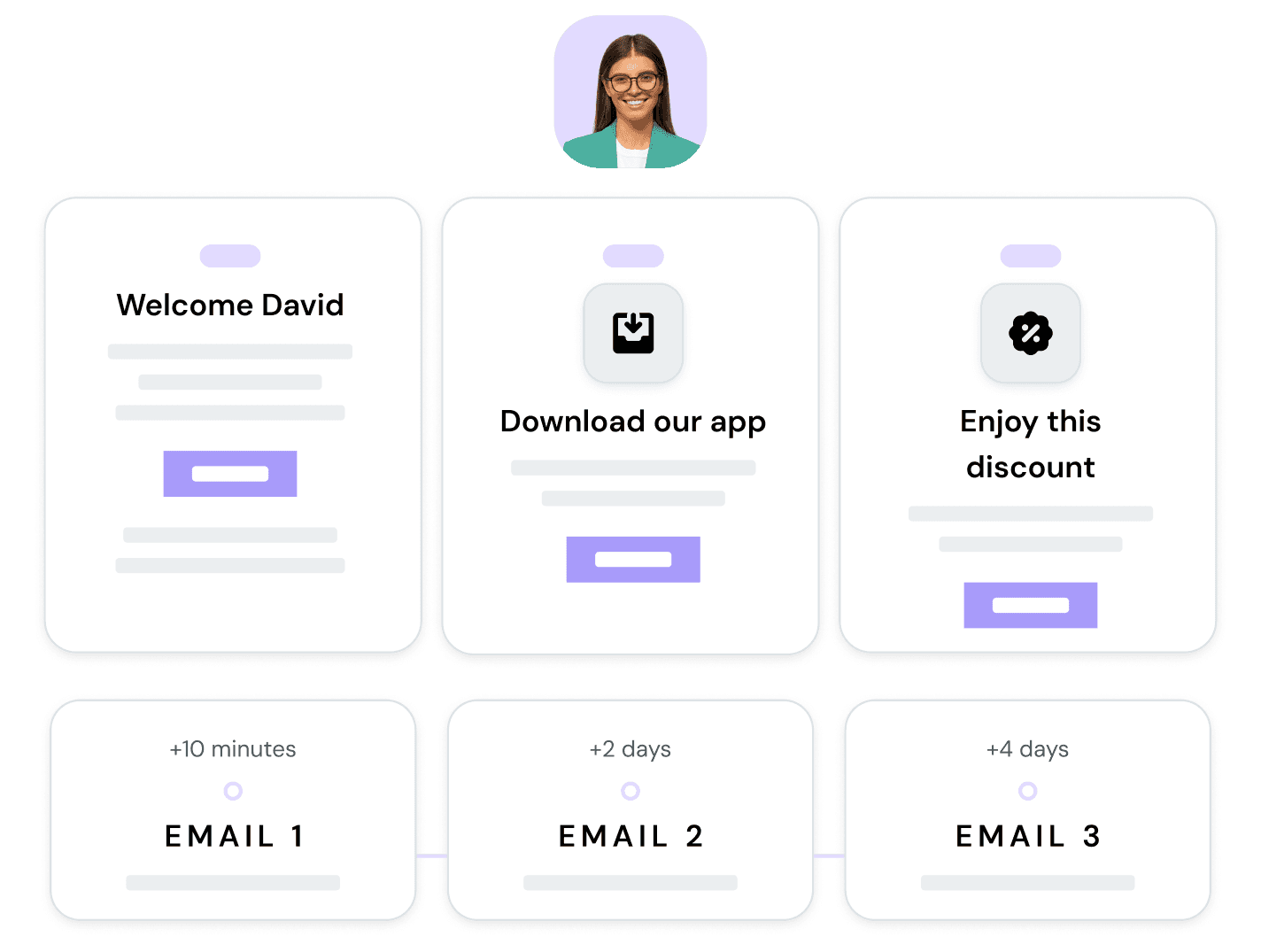
Rather than studying what users built, I mapped what they needed to build. I defined and sequenced high-value automation scenarios — welcome series, re-engagement, cart abandonment, browse abandonment, post-purchase, and lifecycle journeys — covering approximately 80% of real-world use cases. Those blueprints surfaced hidden system requirements that wouldn’t have appeared in a standard design review, and became the foundation for Mailjet’s pre-built template library.
Competitive Benchmarking
I analyzed automation builders across 7+ market leaders, focusing on hierarchy, branching clarity, minimap patterns, and template strategies — not to copy, but to understand the space of known solutions and identify gaps worth owning.
Scrappy Internal Validation
Fast sessions with internal marketers, lifecycle teams, and customer-facing roles that closely matched target user profiles. Early signal, without slowing delivery. Lightweight, real validation beats perfect research.
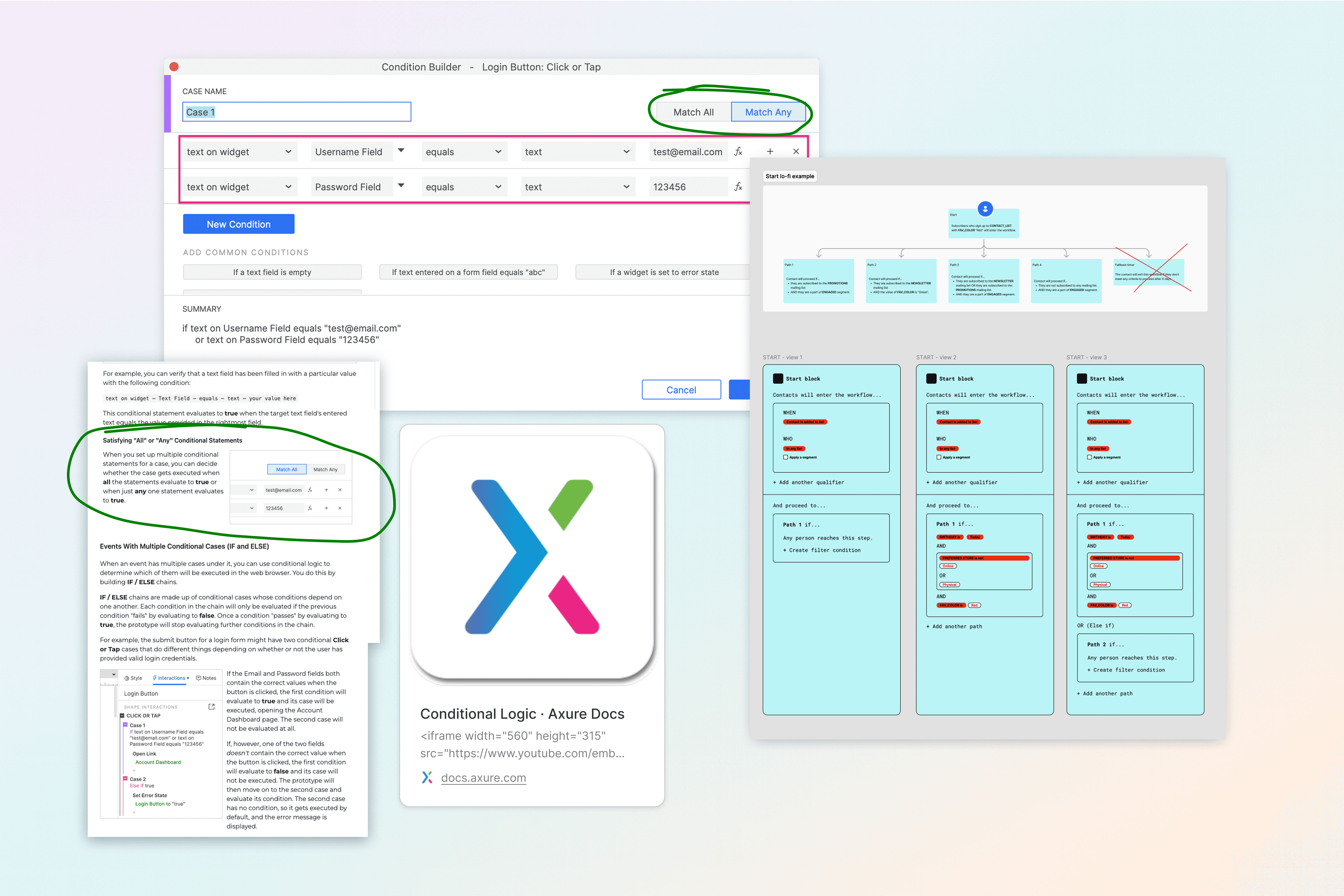
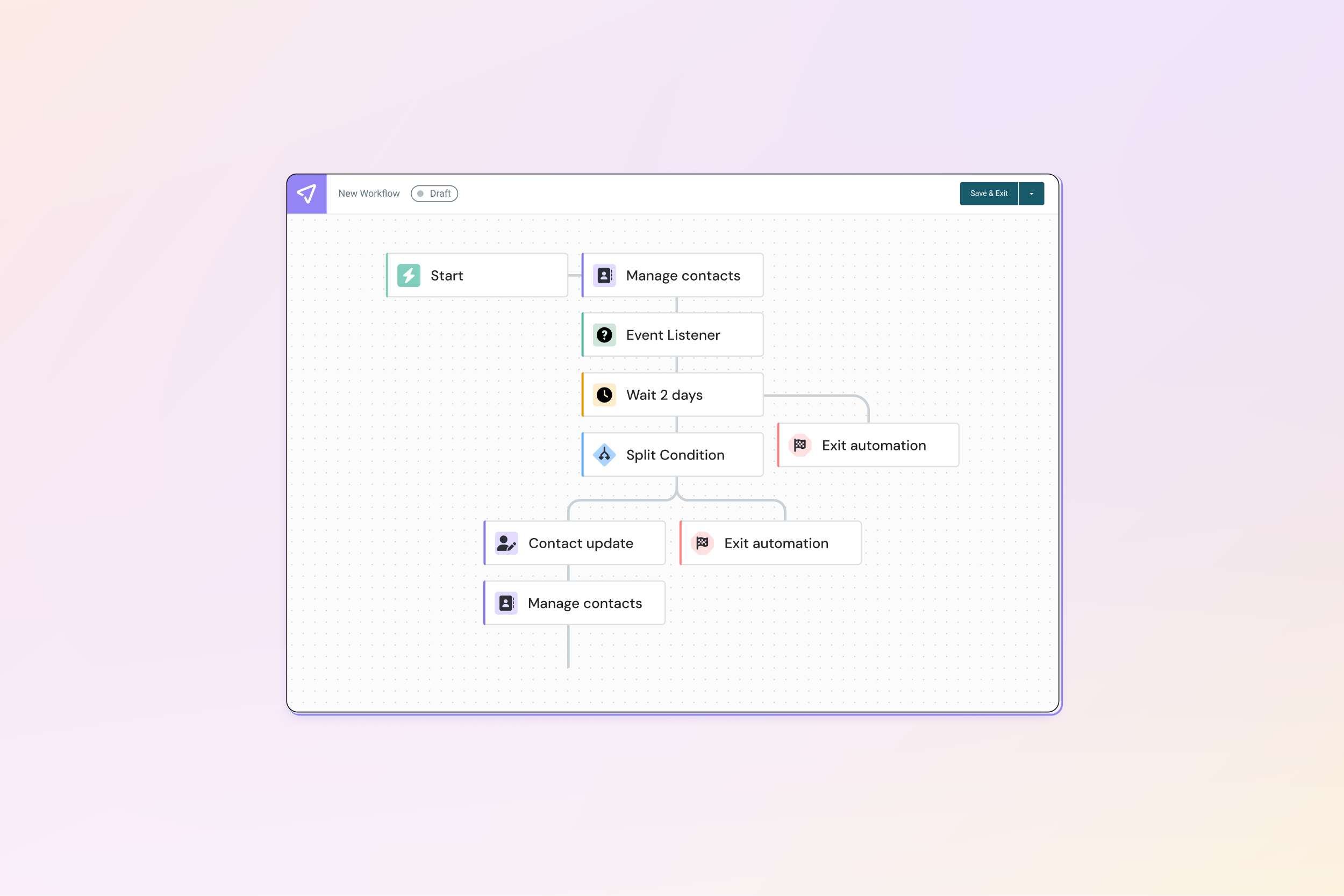
So “if-then-else” logic is easy to reason about
Working within the existing React-flow-based system, I focused on ensuring users could reliably understand how blocks behaved as flows became more complex. The goal wasn’t to redesign the system’s foundations — it was to make the existing system feel coherent, reliable, and understandable.
Node Hierarchy & Rhythm
Modular spacing and clear visual differentiation between triggers, conditions, delays, and actions made journey steps scannable without requiring users to read every label. Structure carried meaning before content did. Reducing variation in how similar triggers and actions were configured meant users didn’t have to relearn patterns from block to block.
Logic Clarity
Branching conditions were lifted out of dropdowns and expressed spatially — visible on the canvas, not hidden inside configuration panels. If a flow branches, it should look like it branches. Configuration panels, validation states, and error messaging were also aligned to behave consistently across the builder, even when blocks rendered conditionally.
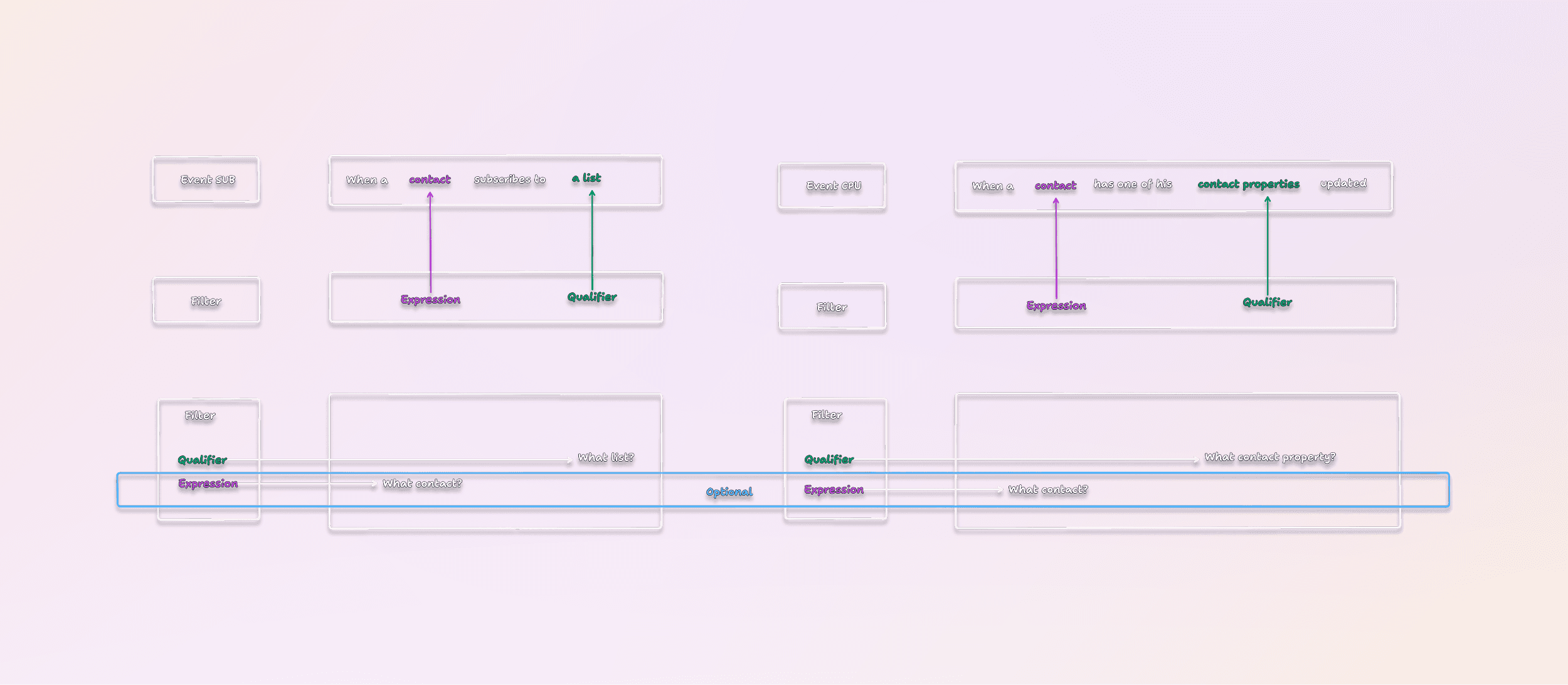
Turning technical diagrams into readable flows
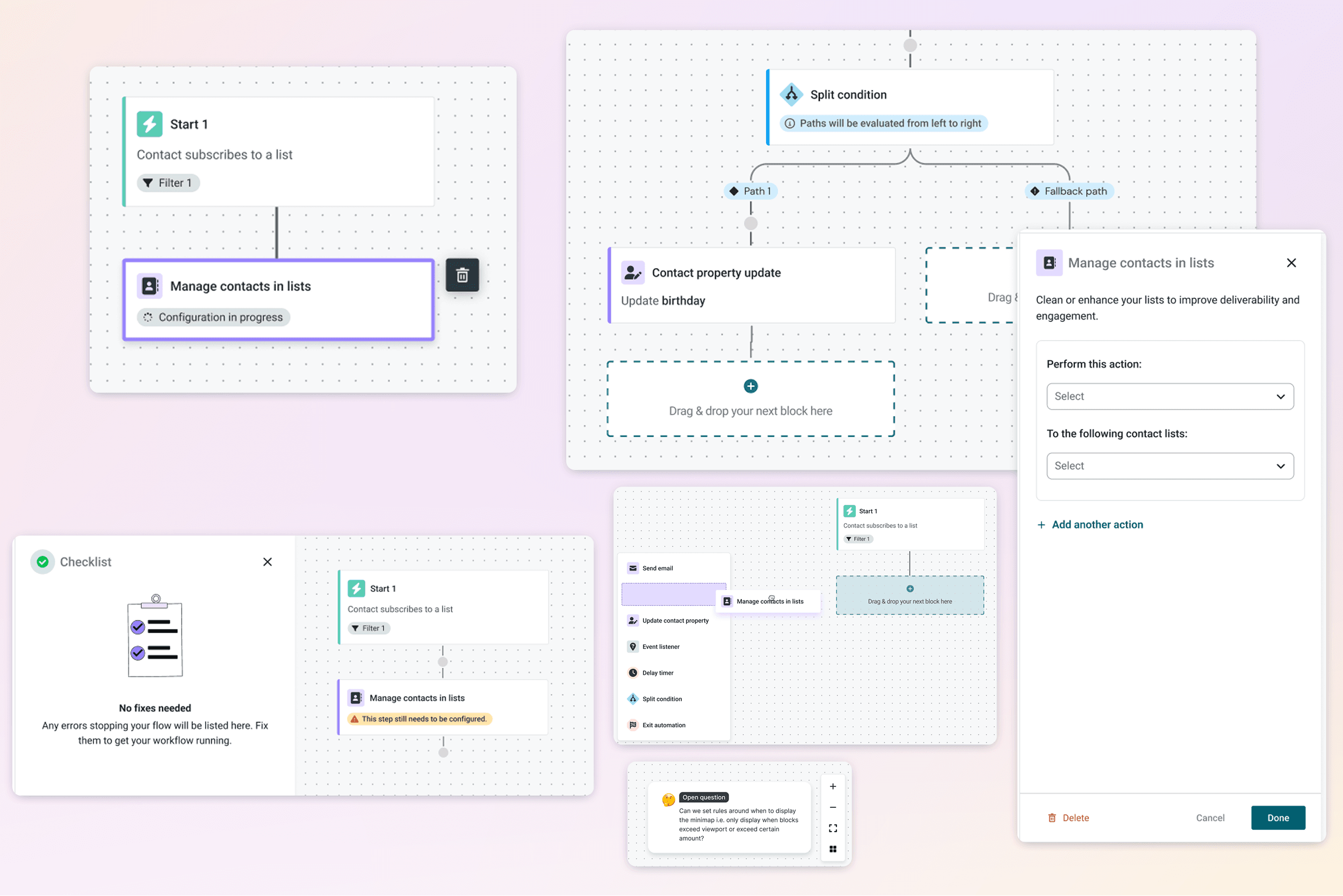
Drag-and-drop targets, branching diagram with minimap, and in-progress states that reflect panel- vs. block-level edits
Safe-Edit Guardrails
Auto-save and clear live/draft state removed the fear of editing active automations. Users could make changes without worrying about triggering something unintended on live contacts. System limitations were surfaced through UX — disabled states, helper text, inline guidance — so users understood what was possible without trial and error.
Pre-Flight Validation
A validation layer caught unmapped fields and broken logic before activation, preventing silent failures — the worst kind in a system sending live communications to real contacts.
Minimap Navigation
For long, horizontally expanding journeys, a minimap gave users persistent orientation. Complex flows became navigable rather than overwhelming.
Design System Alignment
The builder was unified with the broader Sinch ecosystem — a consistency win that reduced cognitive switching for users working across products and reduced design debt going forward.

Explicit delete confirmation, and validation cues that help users understand impact before making changes
Engineering Onsite, Normandy
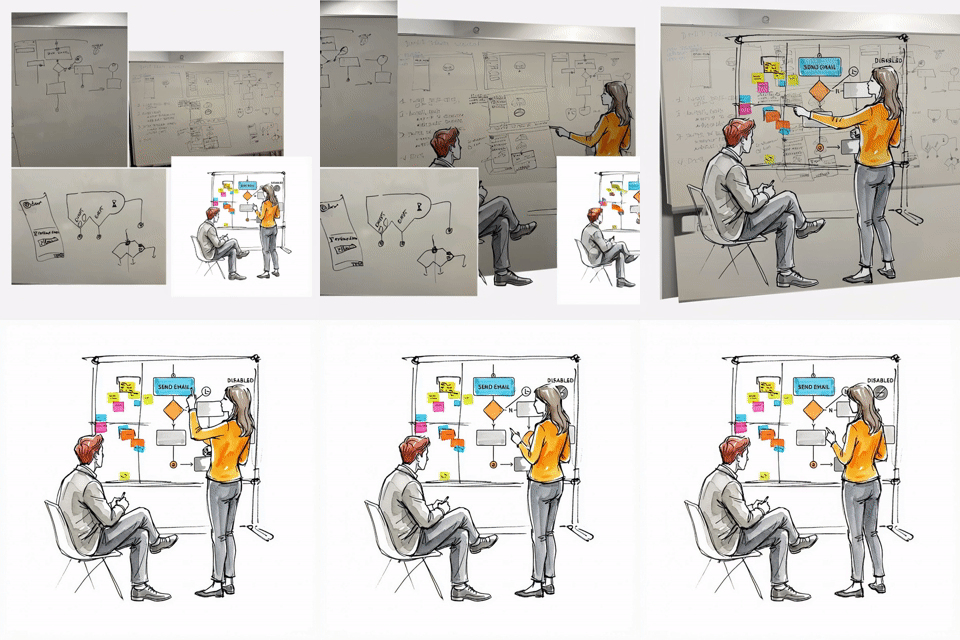
To close gaps between design intent and system reality, I traveled to Normandy, France for an onsite with the core engineering team. The goal wasn’t alignment theater — it was to understand, firsthand, how the automation engine actually worked. By pairing directly with developers, I gained a clear view into technical constraints, edge cases, and where the system was flexible versus fixed. That shared understanding shaped more grounded design decisions, reduced back-and-forth during implementation, and shifted the work from “designing flows” to designing within the true capabilities of the system, alongside the people building it.
The foundational builder launched in September 2025. A go-to-market gap — the new feature wasn’t properly introduced to its target audience — meant standard adoption metrics weren’t available for that release. But the design system it established became the platform for the Abandoned Cart automation in January 2026, and that’s where the validation landed.
The Abandoned Cart feature was the first to be built directly on the new visual builder using my design blueprint. The results showed clear user adoption and sustained engagement.
More Than Double the Flows
The previous system had 50 abandoned cart automations. Users built 104 in the new visual builder — not because it was pushed, but because the experience was intuitive enough to use. More flows created means more opportunities to recapture lost revenue.
Stickiness as a Trust Signal
A 19.24% stickiness rate means users weren’t just experimenting. They were keeping their automations on. For a revenue-sensitive feature like cart abandonment, sustained use is the signal that matters most — not just adoption.
Blueprints Became Product
The scenario blueprinting work didn’t stay in the design file. It evolved into Mailjet’s pre-built template library, supporting onboarding and fast time-to-value for new users. A design artifact became a product asset.
"The visual canvas makes it easy to understand flow logic at a glance."
User feedback post-launch
The Automation Builder project established something more durable than a single feature: a proven model for designing complex systems under constraint.
The blueprint approach — mapping real user scenarios before designing individual states — surfaced requirements that wouldn’t have emerged from a component-level review. It de-risked the build, informed the template library, and gave engineering a clearer picture of what the system needed to support.
The engineering onsite validated a repeatable model: close collaboration with the people building the system produces more grounded design and faster implementation. Fewer handoff cycles. Fewer surprises.
And the unified visual language established in the Automation Builder created a foundation for future workflow tools across the Sinch ecosystem — a scalable consistency win that extends beyond this project.
The go-to-market failure of the September launch also clarified something important: the experience was right. The distribution failed. That distinction matters — it means the foundation is sound, and the next launch won’t start from zero.
The biggest lesson from this project was that scrappy research, done with rigor and intent, is research. Adjacent signals, persona translation, scenario blueprinting, and competitive benchmarking aren’t substitutes for user studies — but they’re not shortcuts either. Used deliberately, they produce grounded decisions. I’d apply the same stack to any future project where timelines compress the research window.
I also came away with a clearer model for what makes automation tools trustworthy. It’s not capability — it’s predictability. Small decisions like labeling, spacing, state visibility, and auto-save have an outsized effect on user confidence, especially when the stakes involve live communications to real audiences.
And being close to the builders — literally — changed the quality of the work. The more designers understand how systems actually function, the fewer the compromises at implementation. The Normandy onsite wasn’t a nice-to-have. It was where the design became buildable.