Brand Kit Experience Strategy
Brand-related support tickets dropped 75%. Negative user sentiment fell 90%. CSAT among Brand Kit adopters lifted 15 points (62% to 77%), based on in-app feedback collected via Gainsight survey. All of it came from one reframe: stop treating brand as something users configure, and start treating it as the context they build within.
Timeline:
Q4 2024 – Q1 2025
Role:
Senior Product Designer
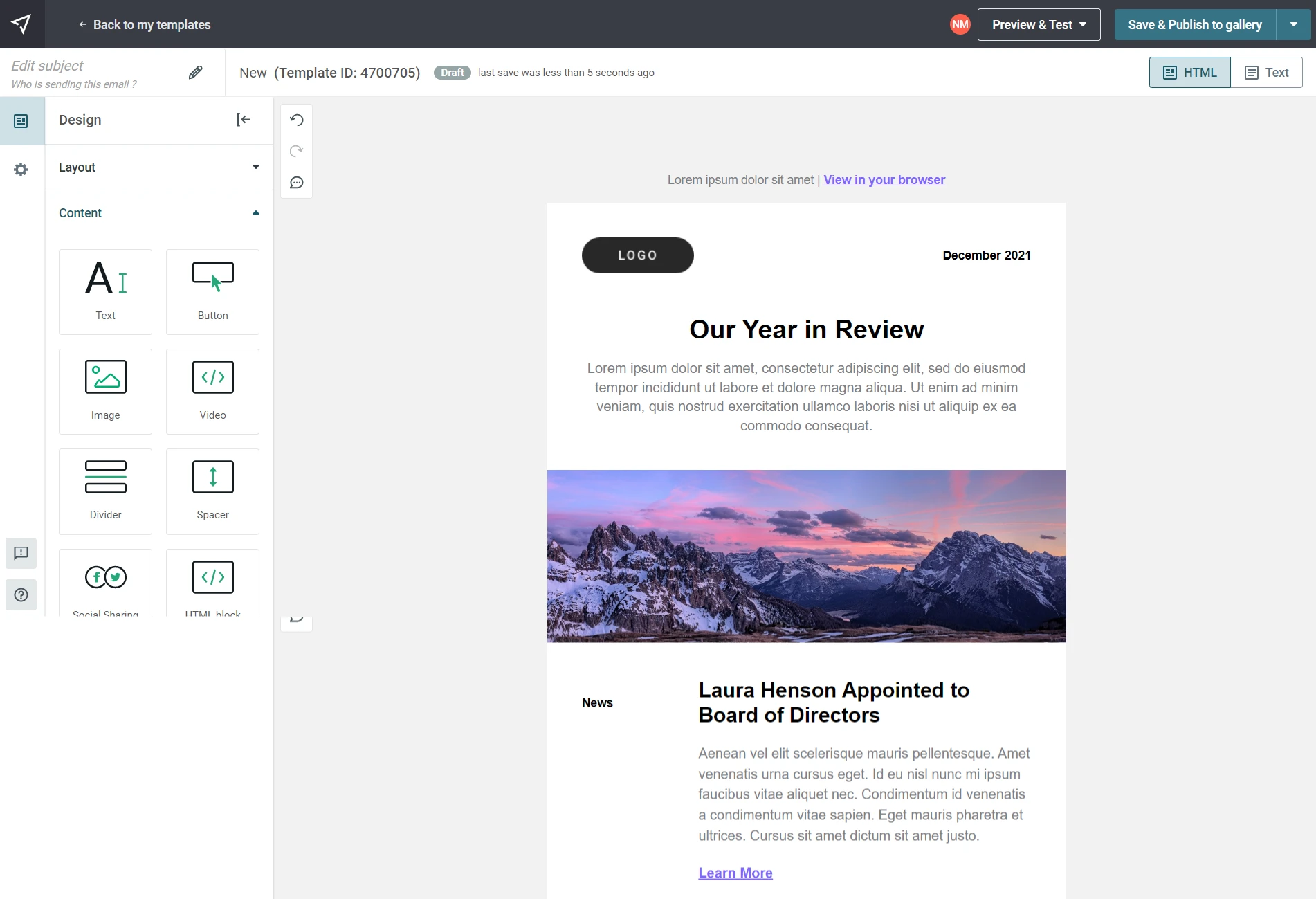
Mailjet’s original Brand Kit was powered by Clearbit. Users dropped in a company URL, the system detected colors and fonts, and generated a small set of branded templates. Useful as a starting point, but the moment you closed that flow, your brand was gone. There was nowhere for it to live.
Every new campaign was a blank slate. The result was a predictable pattern of failure:
Branding had to be manually reapplied to each template
Visual output drifted off-brand over time
Duplicated campaigns silently diverged from brand standards
Teams lacked confidence in how styles were inherited
Preview and inbox rendering mismatches eroded trust
Over 150 brand-related support tickets landed every month in H1 2024. The most common complaints fell into three categories:
Inconsistent branding: “Why are my brand colors not showing up correctly in the email editor?”
Manual errors: “I keep having to manually replace our old logo on every single template.”
Platform confusion: “My brand registration was rejected, and I have no idea why. I’m stuck.”
The frustration in those tickets was palpable:
“I need a way to create a colour palette and be able to access it throughout the campaign creation process, and it is unbearably frustrating to have to input hex codes every time I go into a new content block.” — SEI York Comms Team
“Honestly, editing templates WYSIWYG-style may be cool for some, but power users are in pain. Having to copy-paste my general layout across templates is tedious.” — Fabien
“I can make themes by adjusting font presets, but how do I maintain themes across templates?” — Sebastian
These complaints pointed to a deeper issue: users couldn’t see or predict how brand rules were applied. There was no system, just manual work, repeated endlessly.
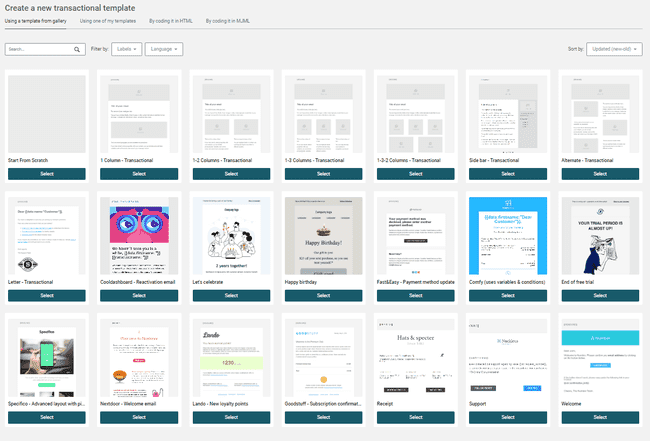
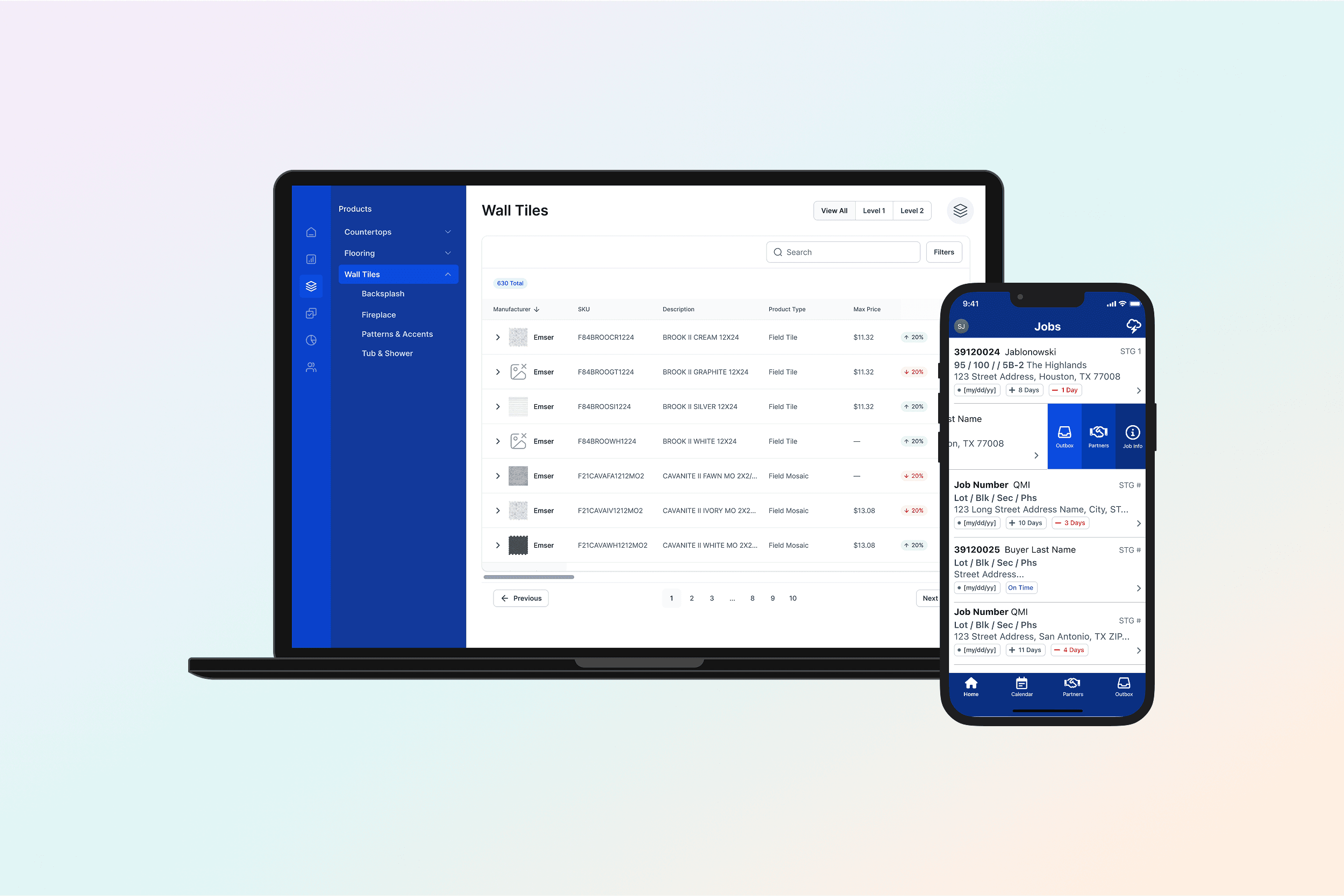
Our generic and dated template gallery
I owned Brand Kit end-to-end, from strategy and systems design through to the fine-grained interaction details across every surface it touched.
Defined the governance model for global vs. local brand behavior, with clear inheritance and override rules that made system state visible and predictable
Designed a token-based color and typography system for scalable theming and graceful fallbacks
Led UX for onboarding, empty states, and progressive disclosure for both new and power users
Designed logo and social component behavior with consistent downstream rendering
Integrated Brand Kit across the full editor ecosystem: email, landing page, form, and MMS builders
Rooted every decision in editor NPS and support data, solving root causes, not symptoms
Research across editor NPS, customer interviews, and support data kept surfacing the same thing: friction wasn’t really about Brand Kit settings. It showed up most painfully when users worked with templates, reused sections, or collaborated across teams, moments where the system’s invisible rules left them guessing.
The real question wasn’t “how do we improve the Brand Kit page?” It was: “how do we make brand feel active and ambient across everything users build?” That question led to the reframe that shaped the whole project:
THE REFRAME: When a user has a Brand Kit, it should feel active by default.
Branding isn’t a feature to enable. It’s the context users build within. This single principle changed the shape of every subsequent decision: what to store, how inheritance should work, where overrides should live, and how the system communicates its state.
Three principles that followed
Persistence over generation, with brand assets stored as durable system state, not generated once and discarded
Global defaults with visible overrides, with brand applied automatically, with clear affordances for intentional divergence
Predictable inheritance, with styling scope made explicit so users can understand and trust how changes propagate
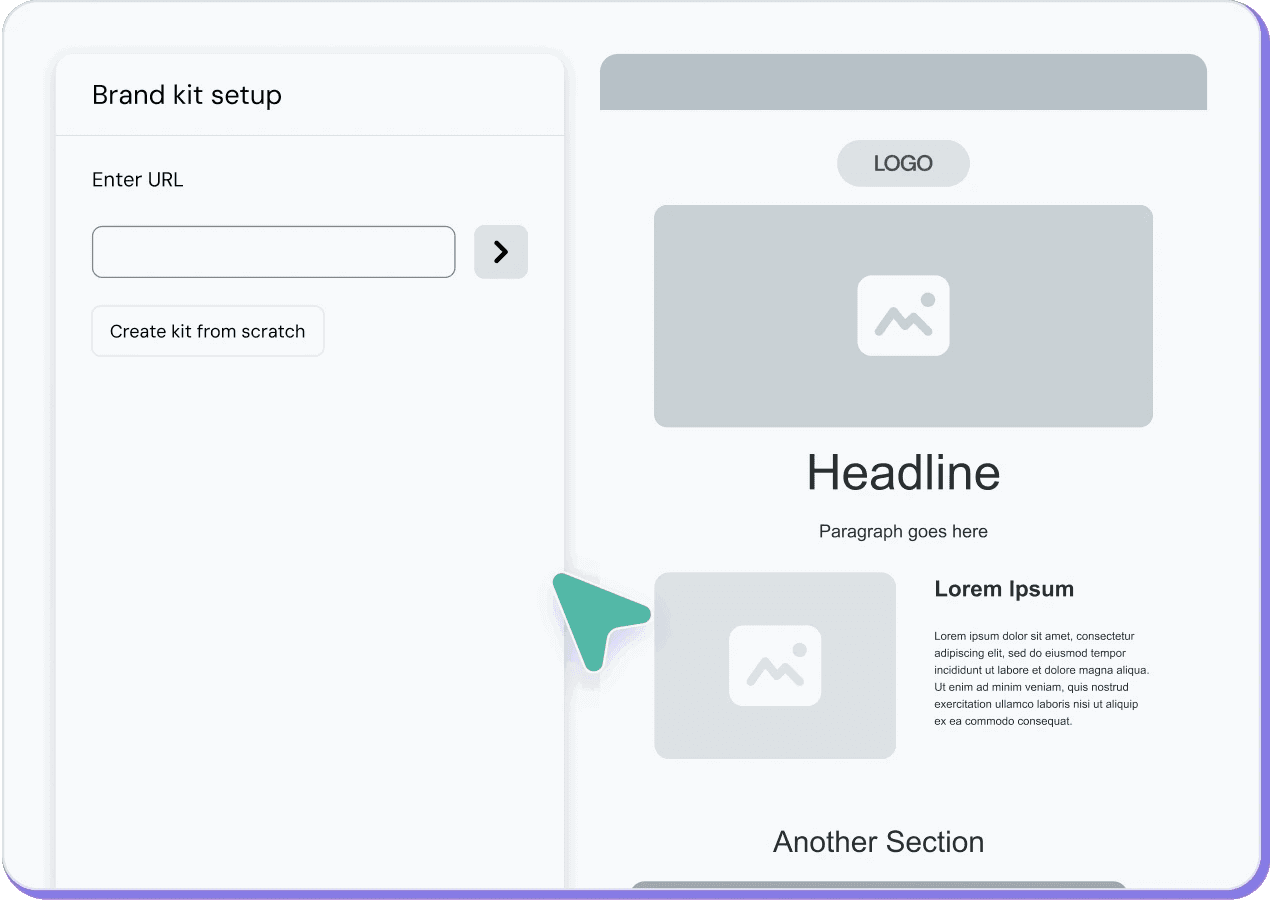
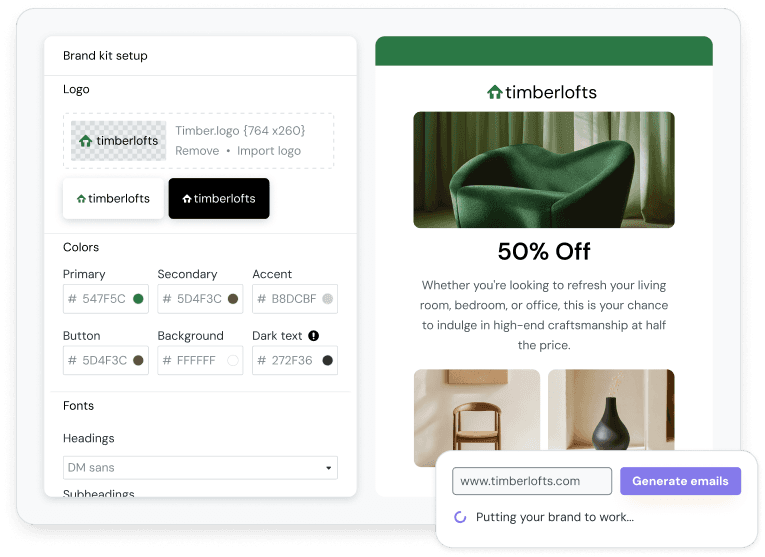
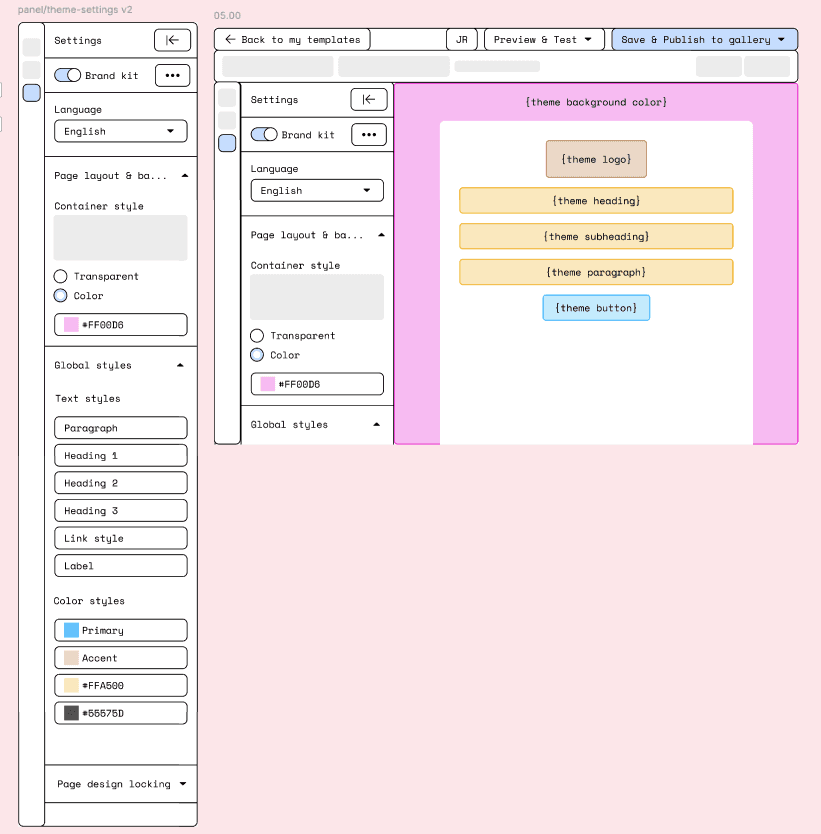
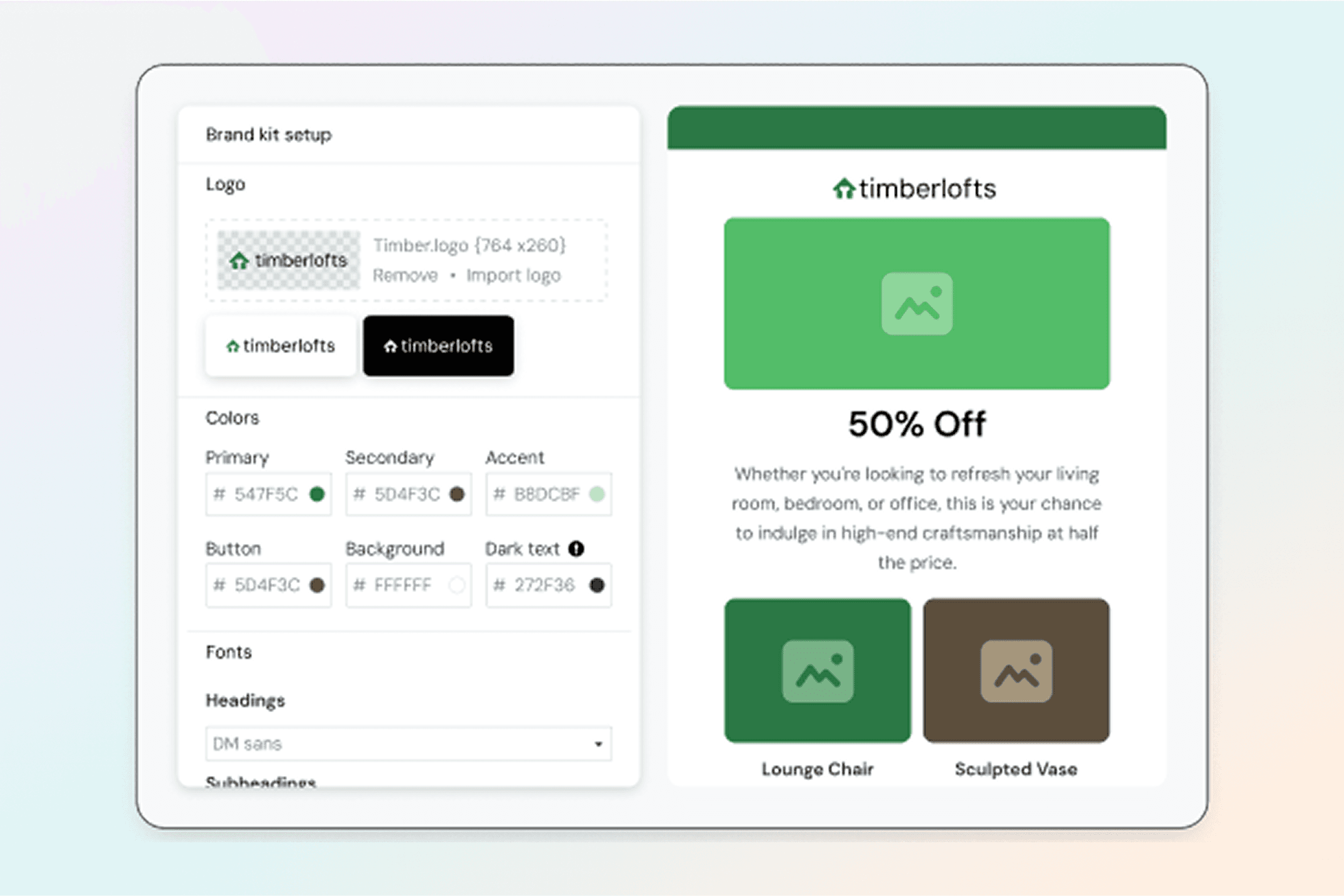
Wireframe for style configuration
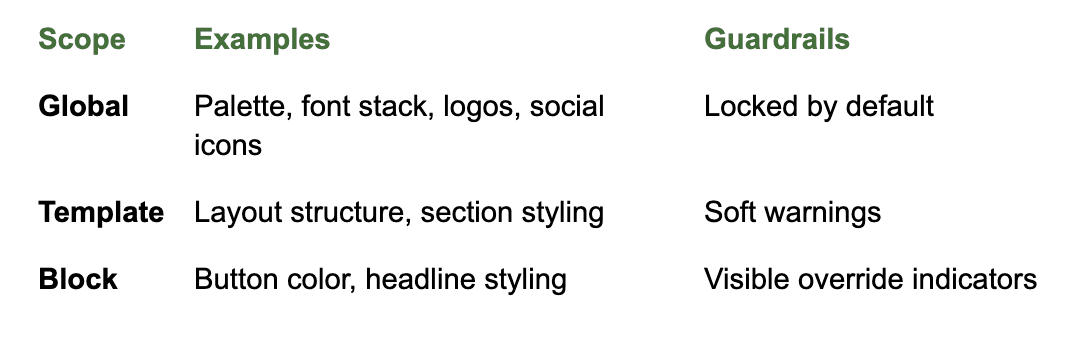
Governance model based on atomic principles
Logo Component
Standardized logo placement with consistent sizing, alignment, and retina support across templates.
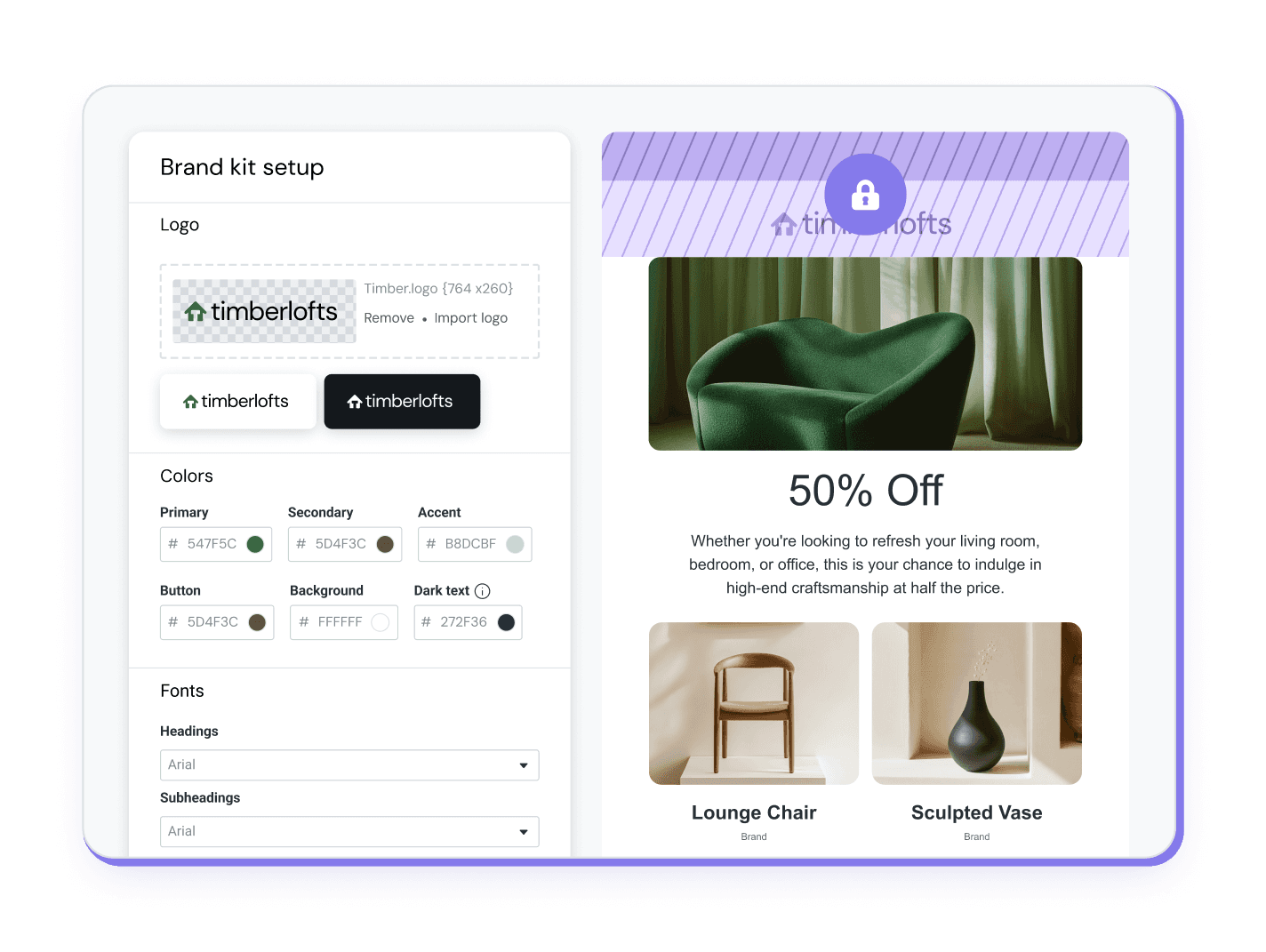
Logo component states
Social Component
Centralized social links with brand-consistent icons and behaviors, removing duplication across campaigns.
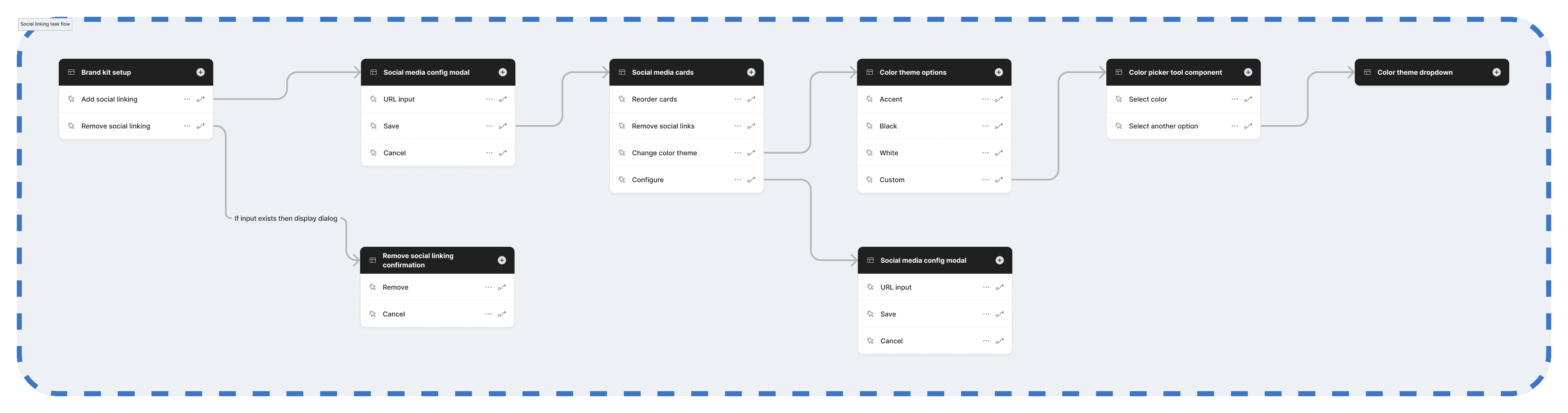
Social setup task flow
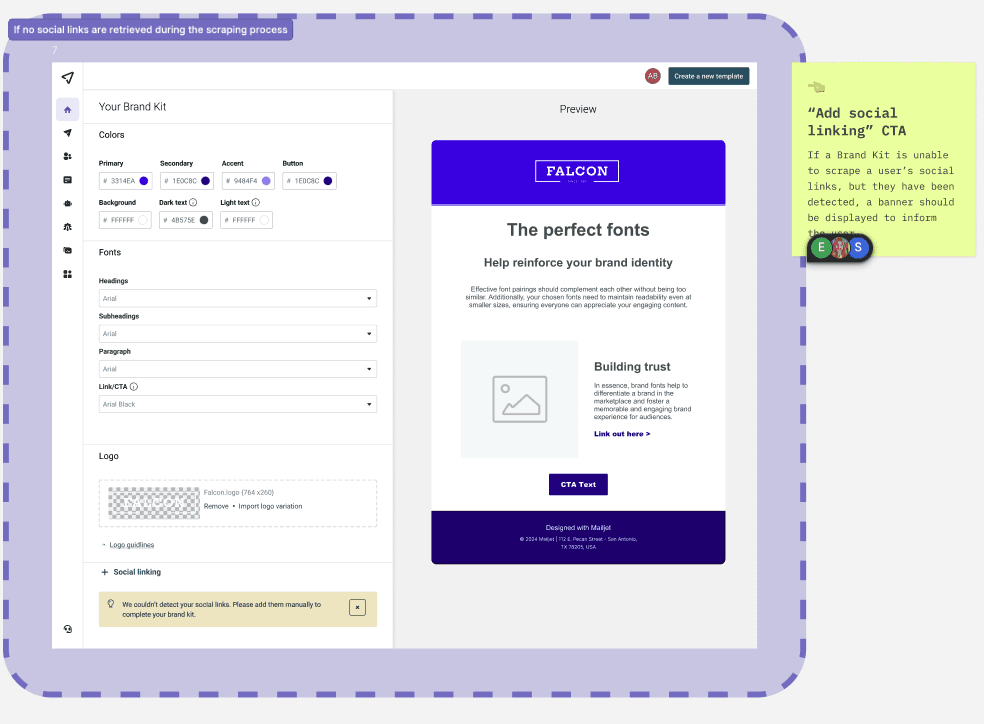
Brand Onboarding & Empty States
Sample palettes, guidance copy, and nudges help users succeed even without prepared assets.
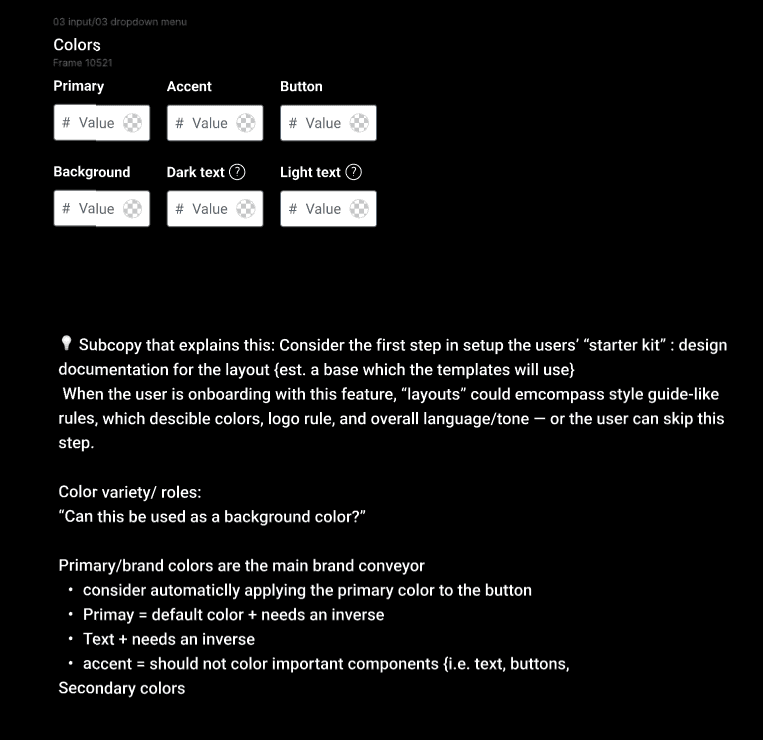
Early ideation
Non-Blocking Defaults
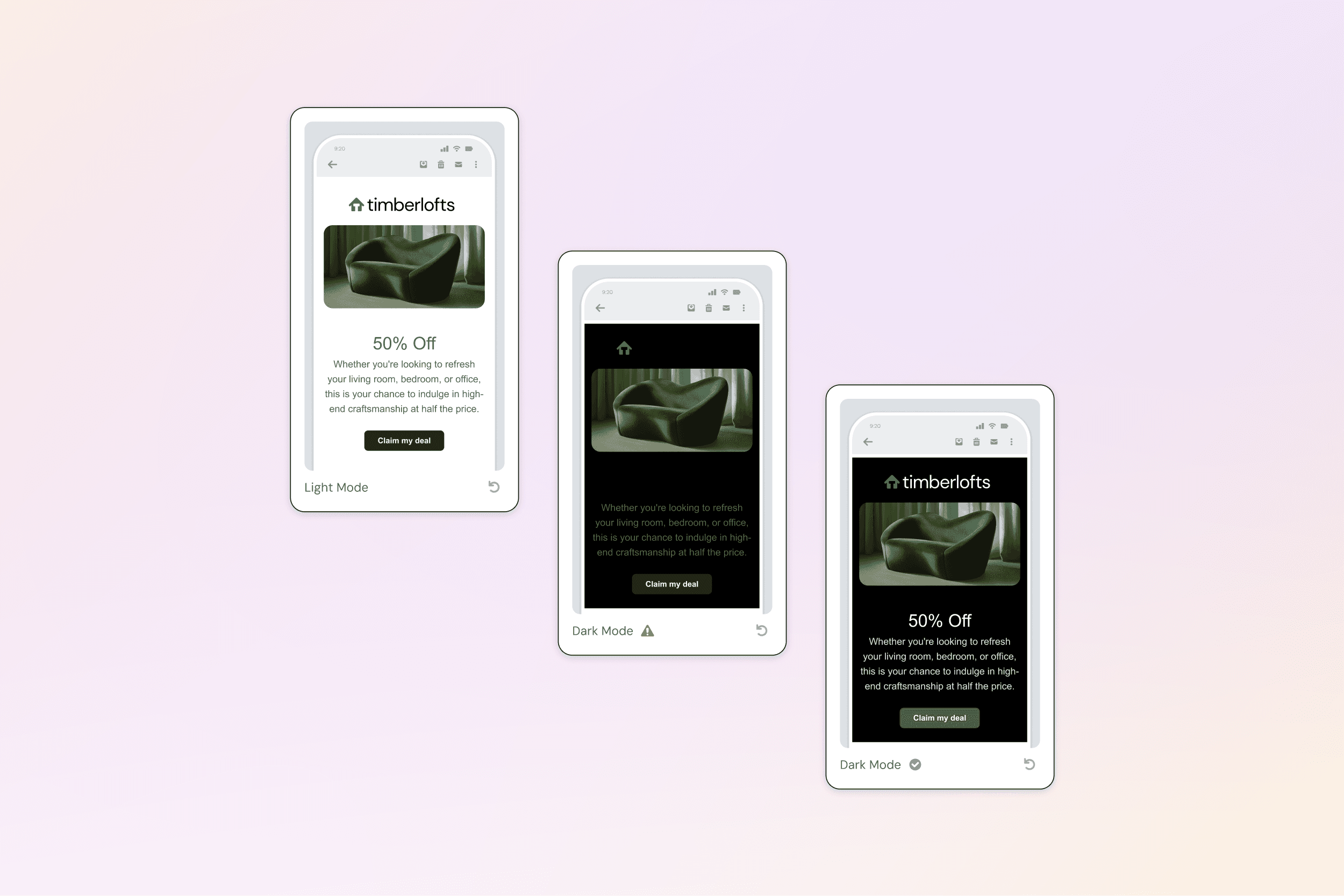
When no Brand Kit exists, builders fall back to neutral, accessible defaults that preserve usability without forcing setup, allowing users to explore and create confidently before committing to brand configuration.
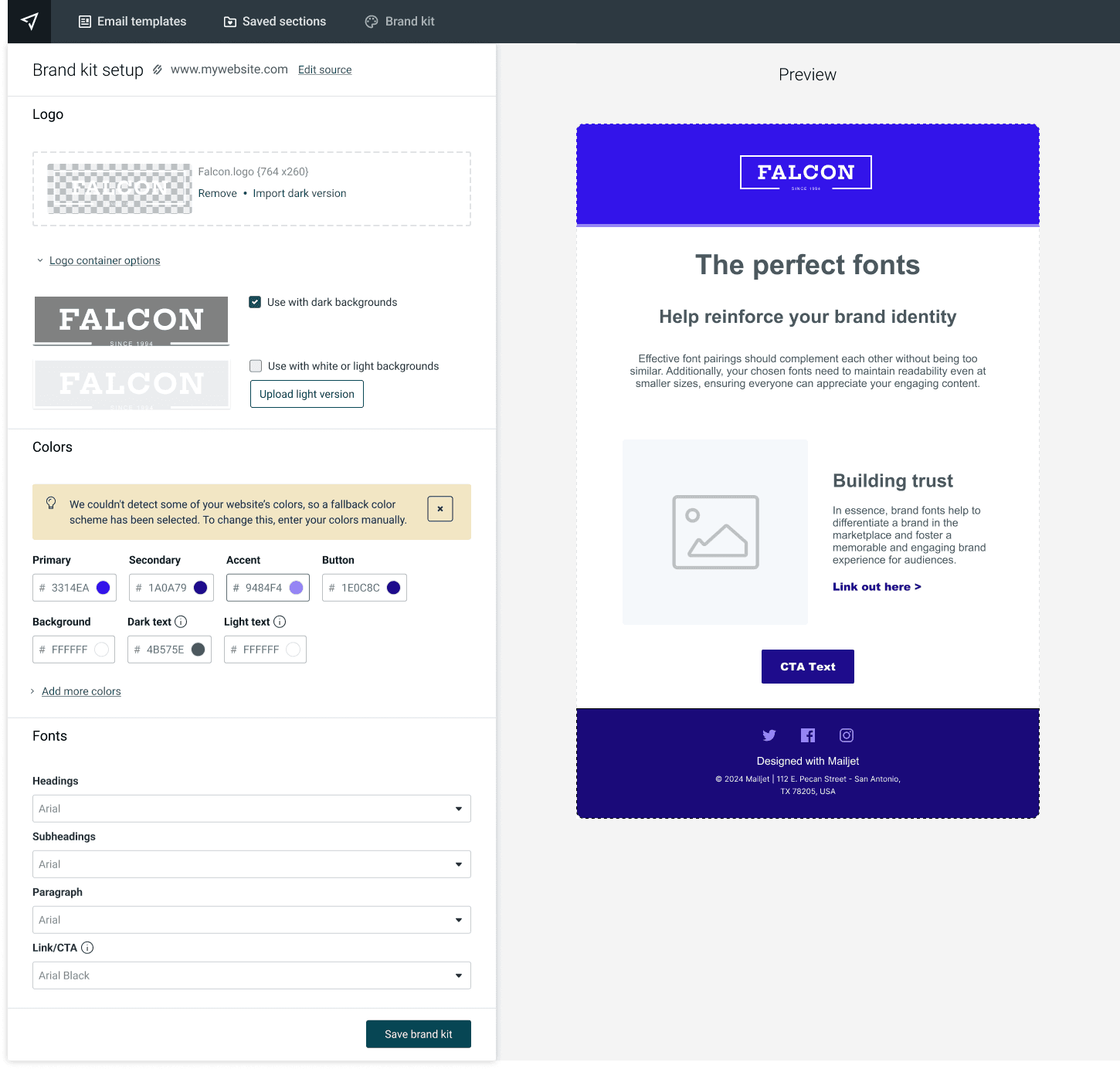
💡 Fallback color scheme based on Mailjet colors
The quarter after launch told a clear story:
reduction in brand-related support tickets
decrease in negative sentiment keywords
CSAT lift among Brand Kit adopters (62% to 77%)
Brand Kit touches every single campaign a user creates, which makes it a high-leverage system. But the bigger win was what it unlocked downstream.
By making brand infrastructure explicit and trustworthy at the system level, we gave editor modernization a stable foundation to build on. It also became essential for AI-assisted template generation. Without reliable brand context, AI outputs have no visual frame of reference to work from. And for enterprise teams, it enabled the kind of multi-brand governance that had previously been impossible.
Dropping from 150+ support tickets a month to ~38 also freed up the support team in a meaningful way, and it made a compelling case internally that investing in design infrastructure pays back more than piecemeal feature work. When the AI Template Generator took longer than expected to build, pivoting to ship Brand Kit first proved the right call. It gave the AI feature a brand context layer to work from, and the teams that adopted Brand Kit early went on to complete campaigns at a 50% higher rate.
Measured across support trends, sentiment analysis, and early post-launch validation.
Negative Brand-Related Mentions: 100 mentions → 10 mentions (-90%)
The most important decision in this project wasn’t a UI pattern. It was the reframe. Once I stopped asking “how do we improve the settings page?” and started asking “how do we make brand ambient?”, every subsequent decision got easier and more coherent.
I’ve found that when user feedback is consistent and structural, when different people, in different contexts, keep bumping into the same wall, the answer is almost always structural too. Patching individual pain points would have helped temporarily. Building the system fixed it.
That’s the lesson I carry into complex design problems: move upstream. The most impactful work usually lives one level above where the frustration surfaces.