AI Driven Email Marketing
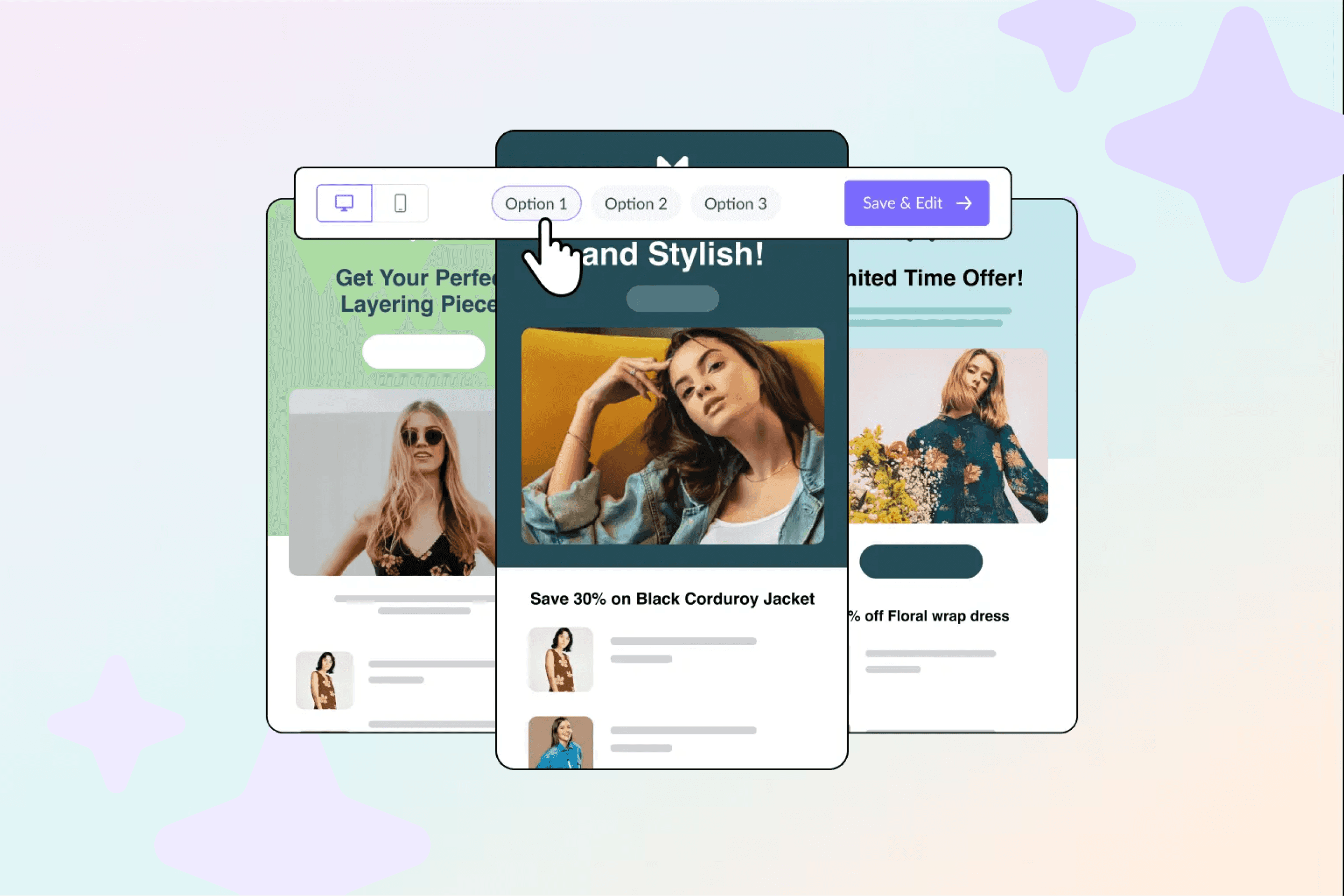
Campaign creation at Mailjet was slow, inconsistent, and intimidating, especially for small teams and newer marketers. We built an AI Template Generator that turns a plain-text prompt into a fully structured, on-brand email draft in minutes. The results landed well beyond what we projected: 88% faster creation, 45% adoption in three months, three times more campaigns per user, a 12% higher click-through rate on AI-generated emails compared to manually built ones, and meaningful new ARR at launch.
faster campaign creation
adoption in first 3 months
more campaigns per user
higher CTR vs. manual
Timeline:
Q1–Q2 2024
Role:
Senior Product Designer

High effort, inconsistent outcomes
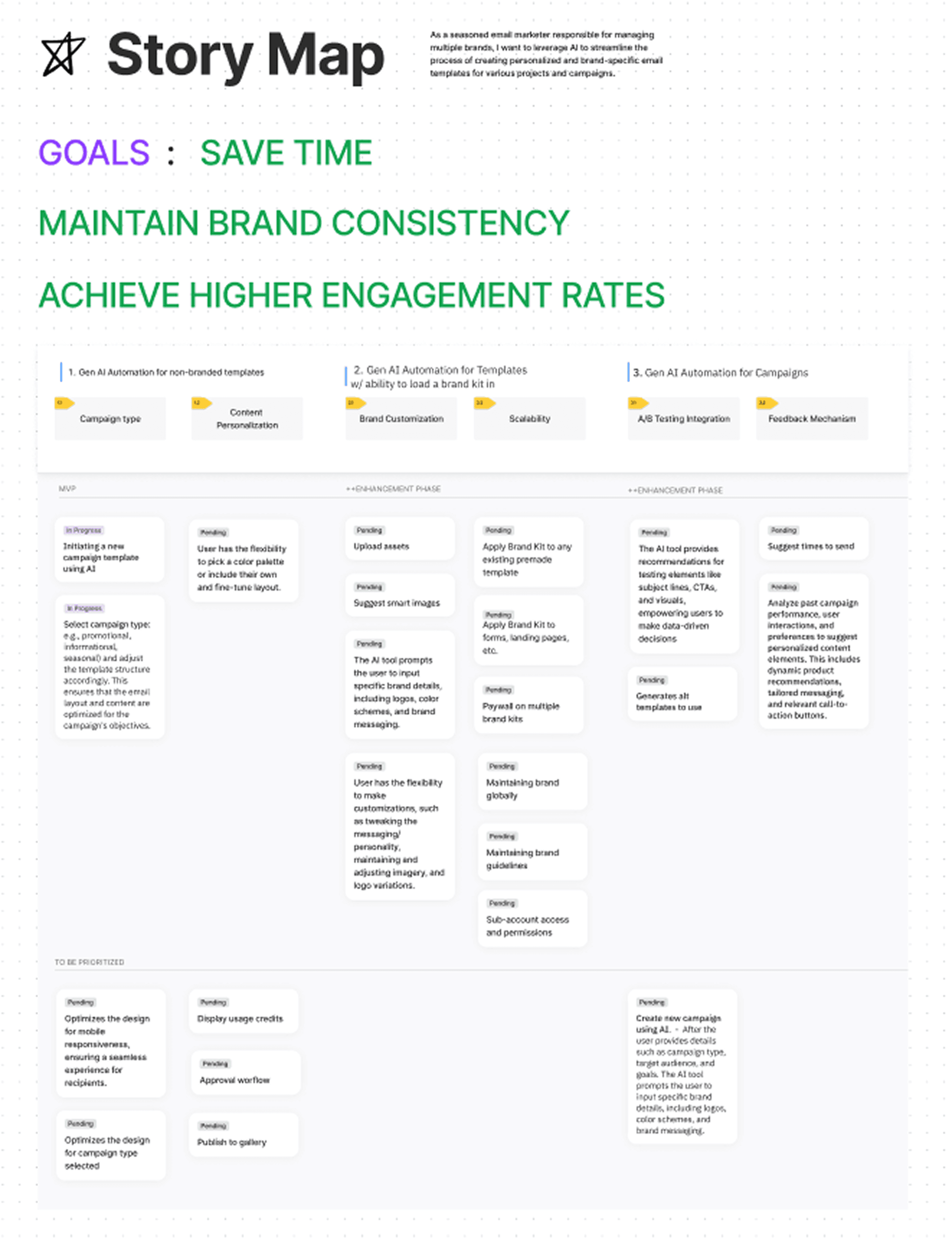
Opportunity diagram
I owned the end-to-end design of the AI generation experience, from the moment a user decides to use AI, through to a campaign they’re confident enough to send.
Prompt UX: designing input clarity, metadata guidance, and scope-setting so users could describe what they wanted without needing to think like an AI
Brand Kit integration: defining how the generator inherited colors, fonts, and logo from the user’s Brand Kit automatically
Guardrails and fallbacks: designing error states, constraints, and recovery paths that kept output predictable and trustworthy
“Oversight” UX: patterns that made AI output feel editable and owned, not handed-down and fixed
Preview → apply → iterate flows: ensuring the handoff from generation to editing felt seamless, not jarring
I worked closely with the AI platform team on output structure and guardrails, the design system team on brand token enforcement, and the Growth and Lifecycle teams on how the feature fit into activation and upgrade flows.
That's me in the top right corner! 😁
The strategic choices that shaped this project came directly from what we learned about how users actually responded to AI-generated content, not how we assumed they would.
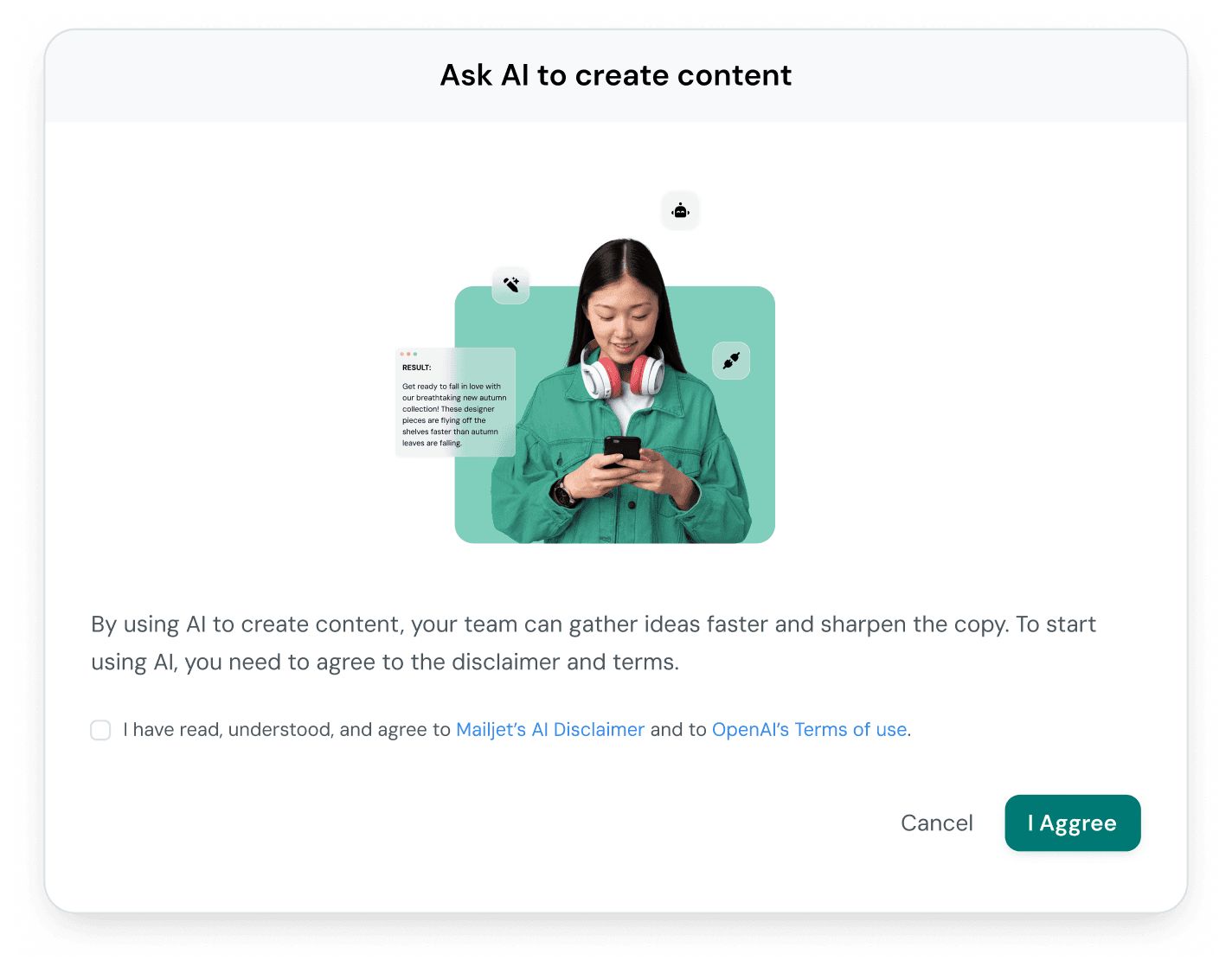
Guardrails mattered more than generation quality
We initially expected users to be most impressed by creative range, the variety and quality of what the AI could produce. What actually built confidence was the opposite: determinism, reversibility, and clear constraints. Users trusted the output more when they understood what it would and wouldn’t do. Guardrails weren’t limitations; they were the feature.
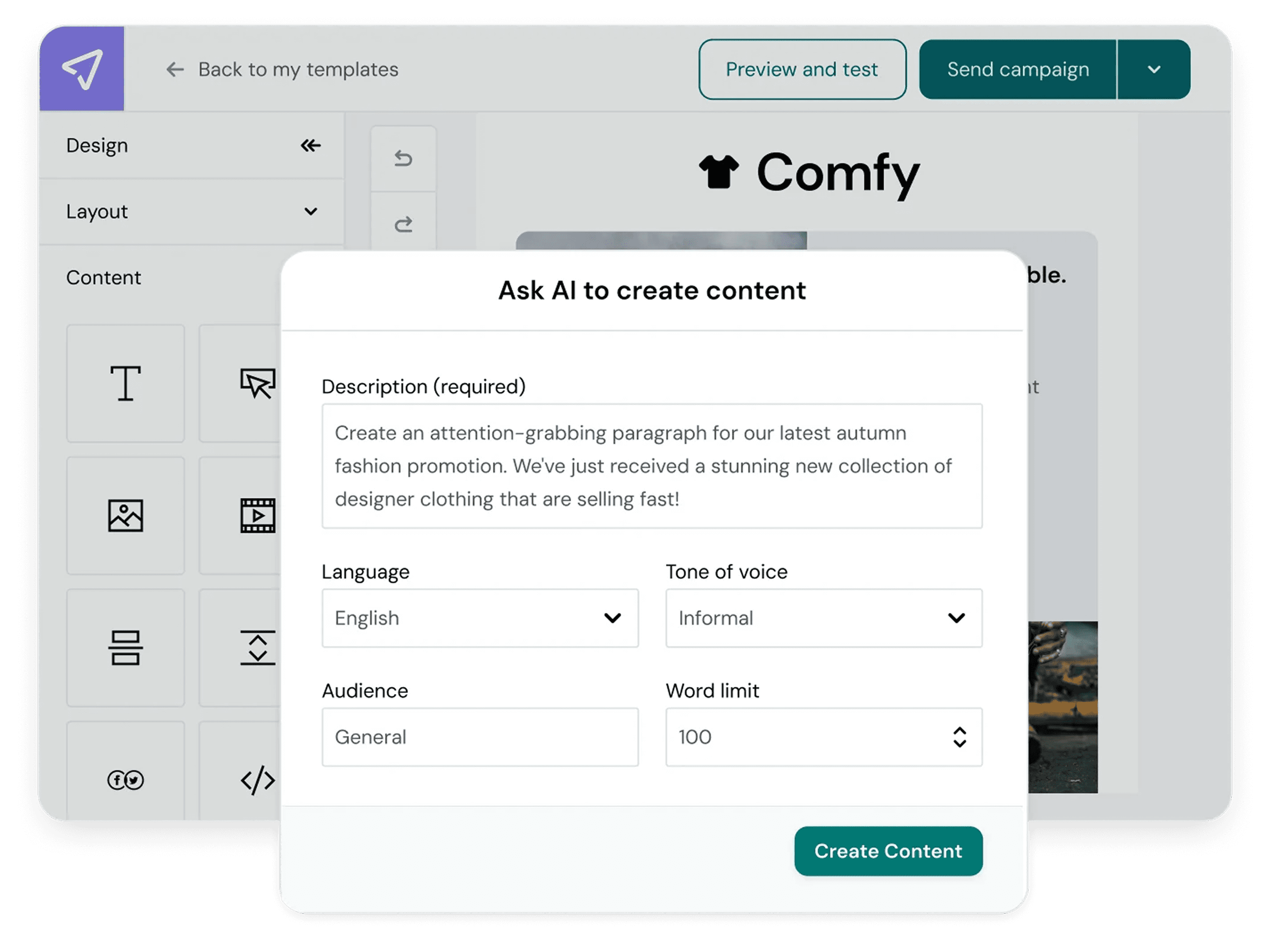
Placeholder copy shaped how users thought about the output
Generated copy functioned as instructional scaffolding, not prescription. When placeholder text was specific enough to be realistic but clearly replaceable, users approached the output as a starting point they owned, not a finished product they had to accept or reject wholesale. The goal was to help them start, not to finish for them.
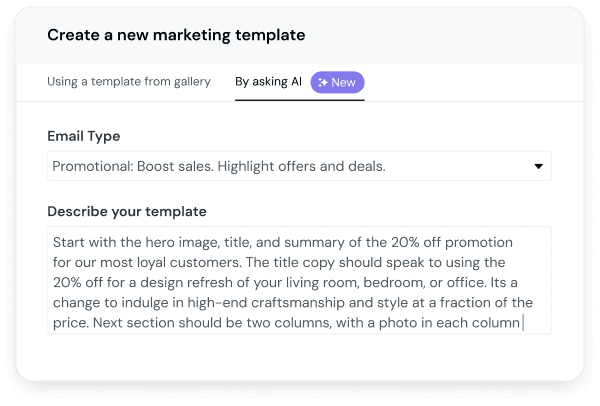
Email type is mapped to campaign intent goal which informed the structure
Language that sounded “generated” undermined ownership
Early testing showed that overly polished, AI-sounding copy reduced users’ willingness to edit. It felt authoritative in the wrong way. When we shifted toward warmer, more marketer-like language, the kind of tone a good copywriter might use, users were more likely to engage with the content, tweak it, and ultimately send it. The language had to feel like theirs to touch.
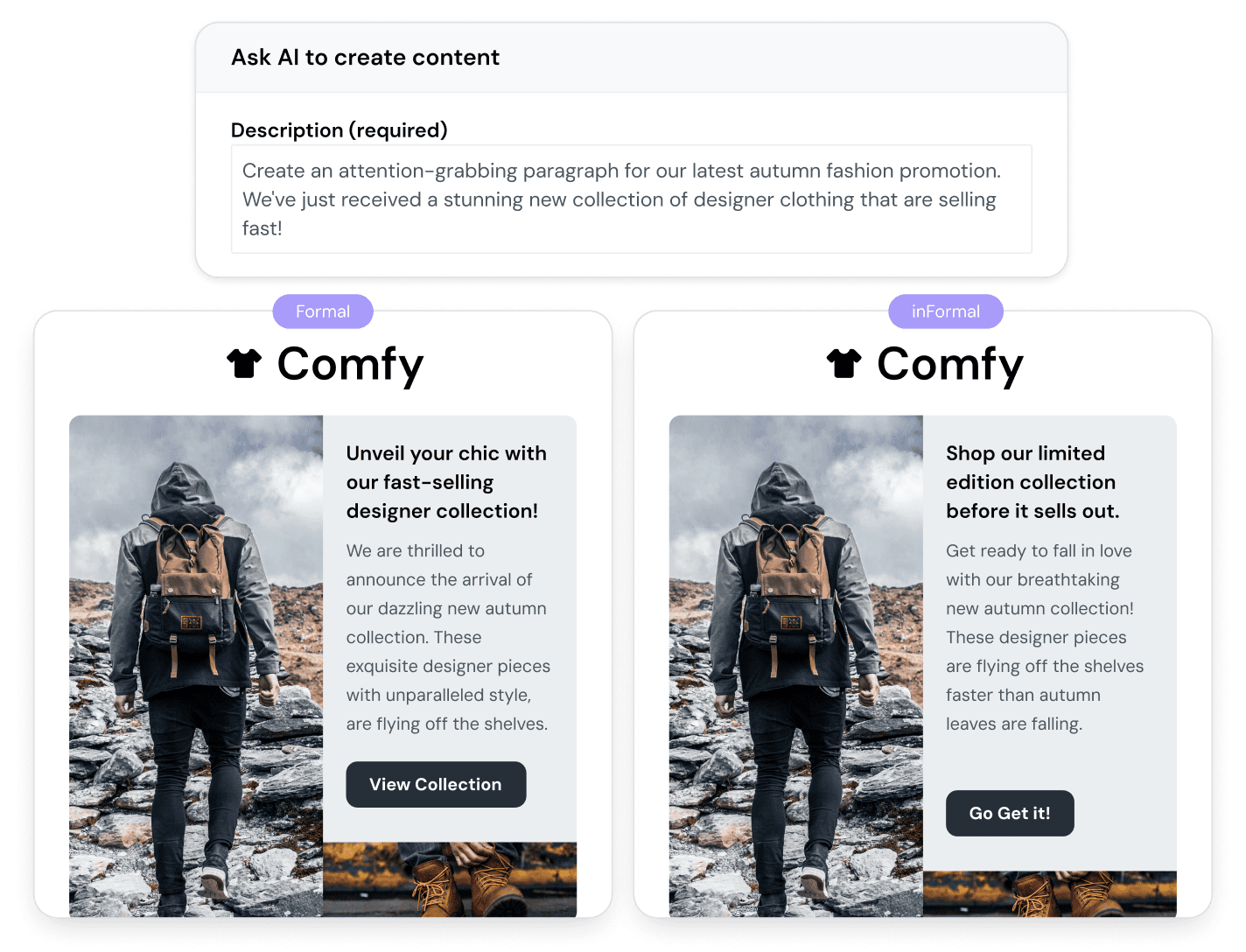
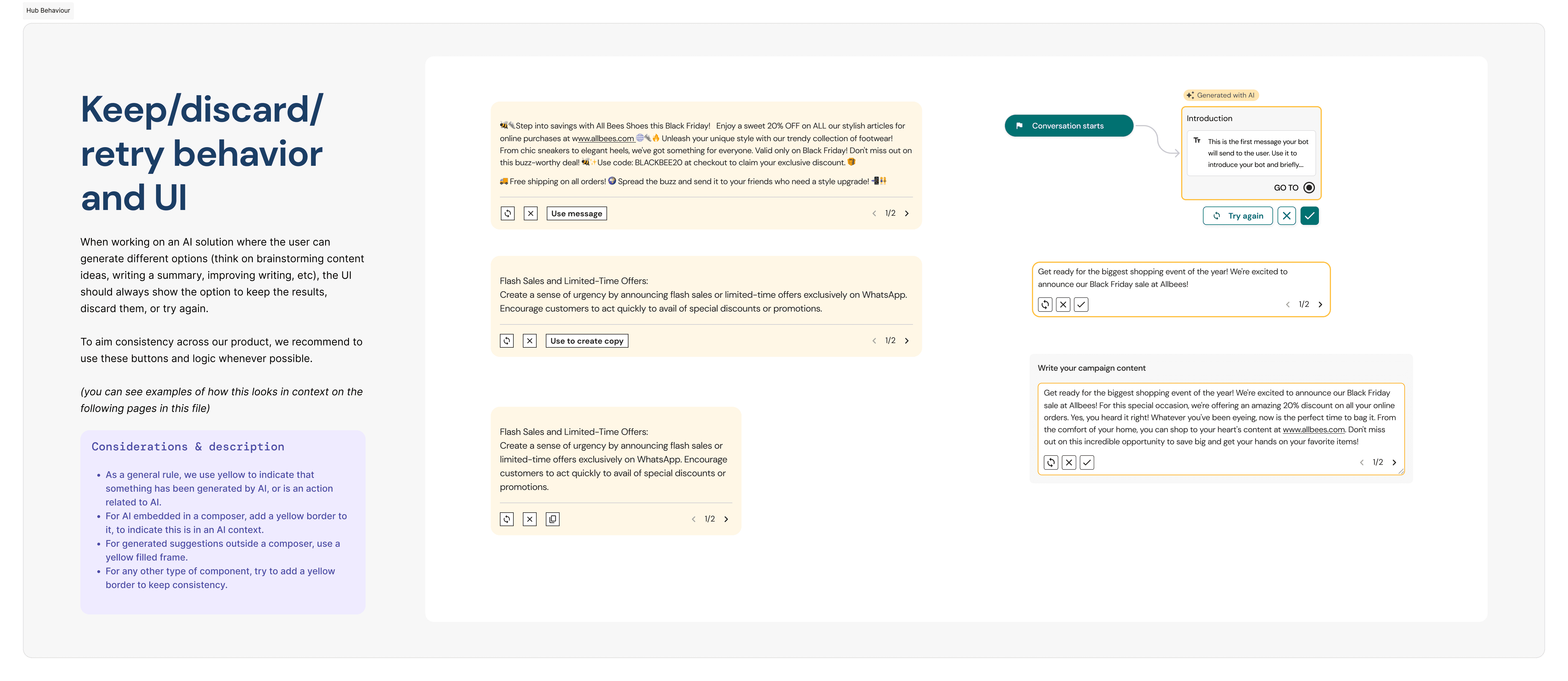
Variation controls regenerate section example
Brand Kit inheritance was the trust anchor
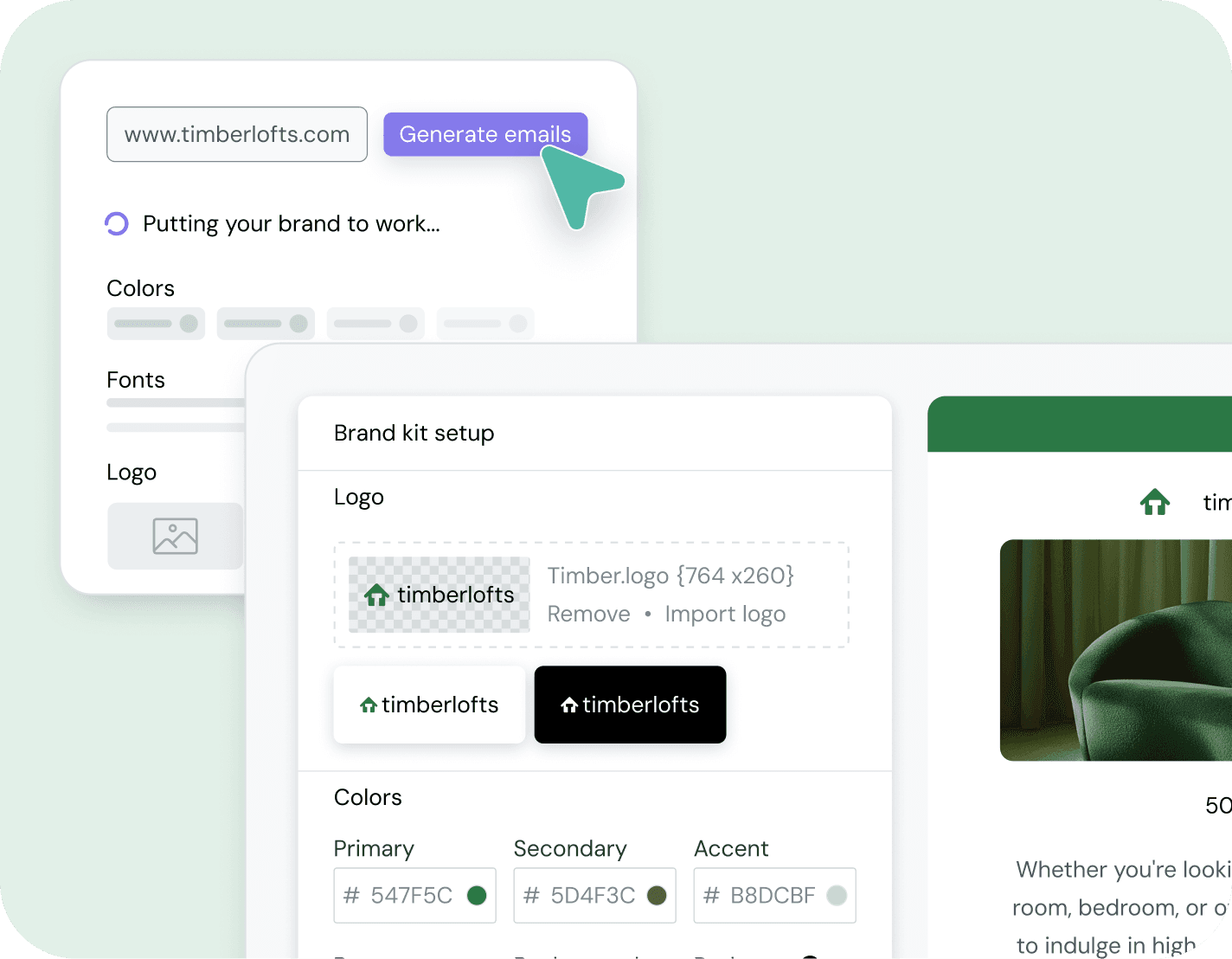
The integration with Brand Kit wasn’t just a technical convenience, it was the design decision that made the whole experience feel safe. When users saw their own colors, fonts, and logo appear in the generated output, the result felt less like something a machine had made and more like a draft a junior designer had produced. That sense of “this is already mine” lowered the barrier to sending significantly.
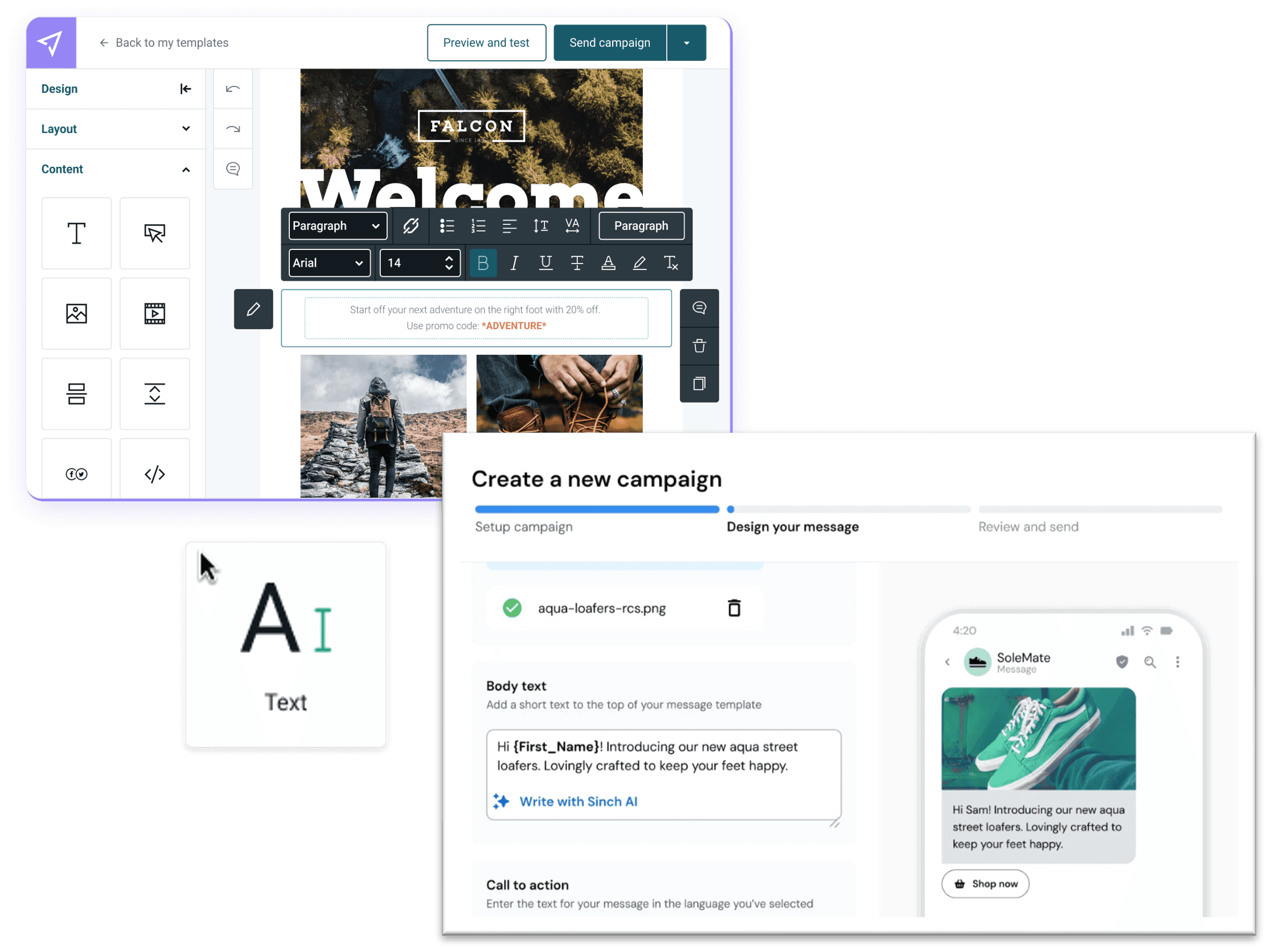
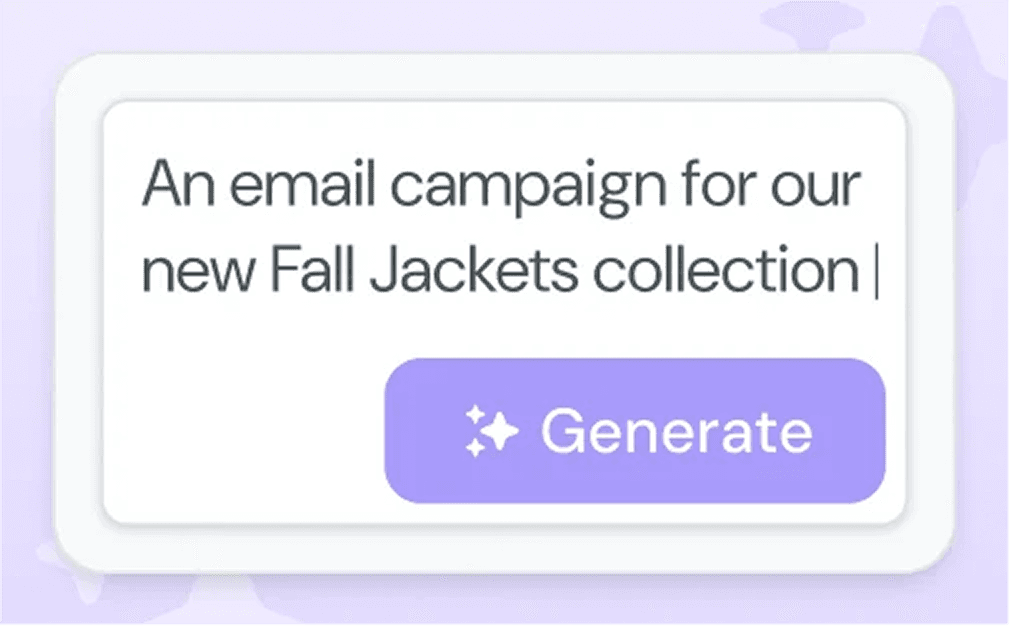
The AI Template Generator lets users describe their campaign in plain language, “a Black Friday sale announcement for a new line of winter coats”, and receive a complete, editable email draft in minutes. Structure, copy, imagery, and layout are all generated. Brand styles are applied automatically from the user’s Brand Kit. Nothing is locked.
Prompt-first, not template-first
Rather than asking users to browse a template gallery and then customize, we led with intent. The prompt input was designed to feel conversational and low-stakes, more like describing an idea to a colleague than configuring a tool. Metadata guidance (campaign type, tone, audience) was woven into the flow without making it feel like a form.
On-brand by default
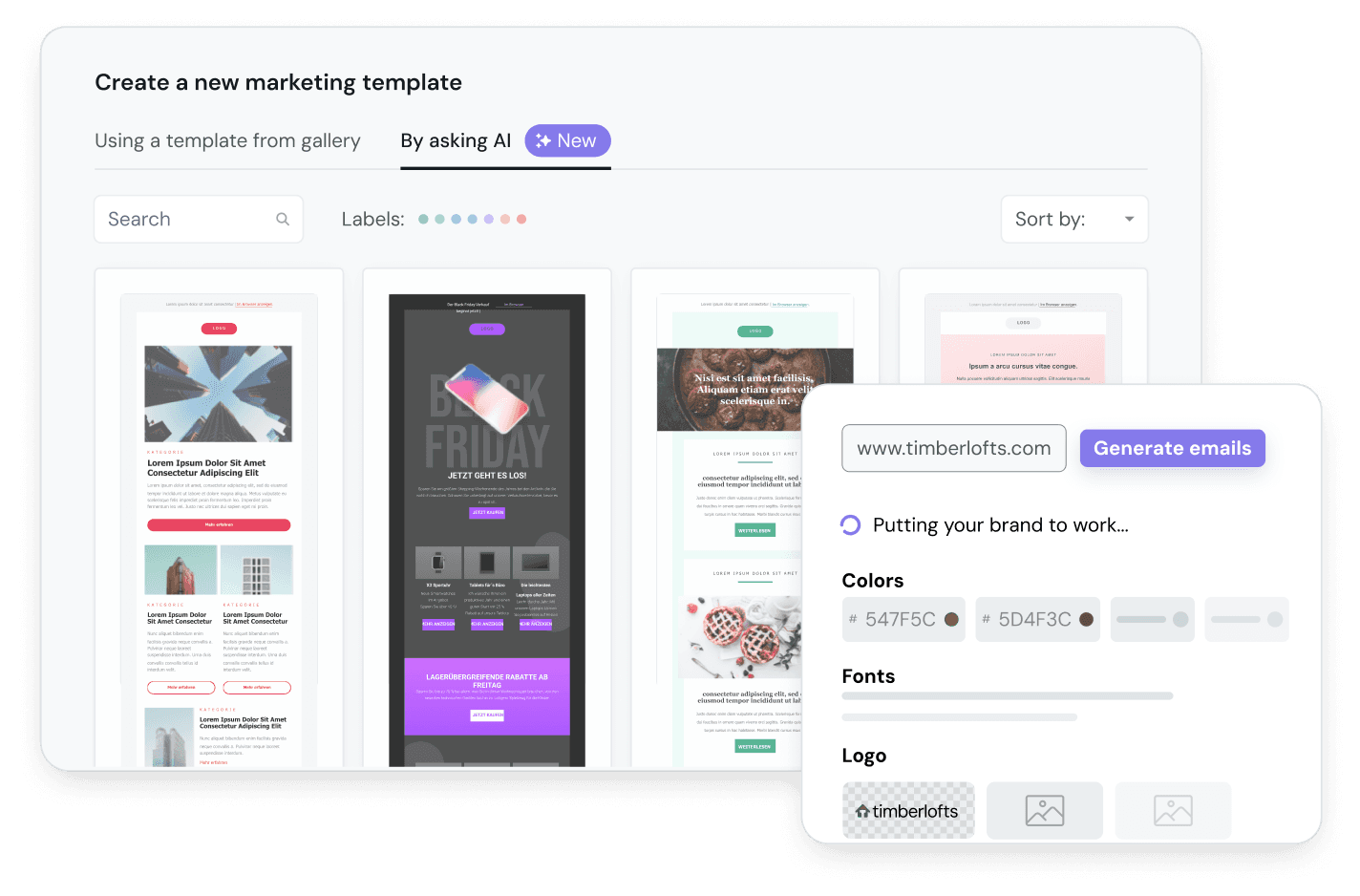
Every output was automatically styled using the user’s Brand Kit tokens. Colors, typography, and logo applied without any action from the user. For users who hadn’t set up a Brand Kit yet, the flow included a lightweight onboarding path to capture the essentials first, reinforcing Brand Kit as the foundation of the whole platform, not a separate feature.
Editable from the first second
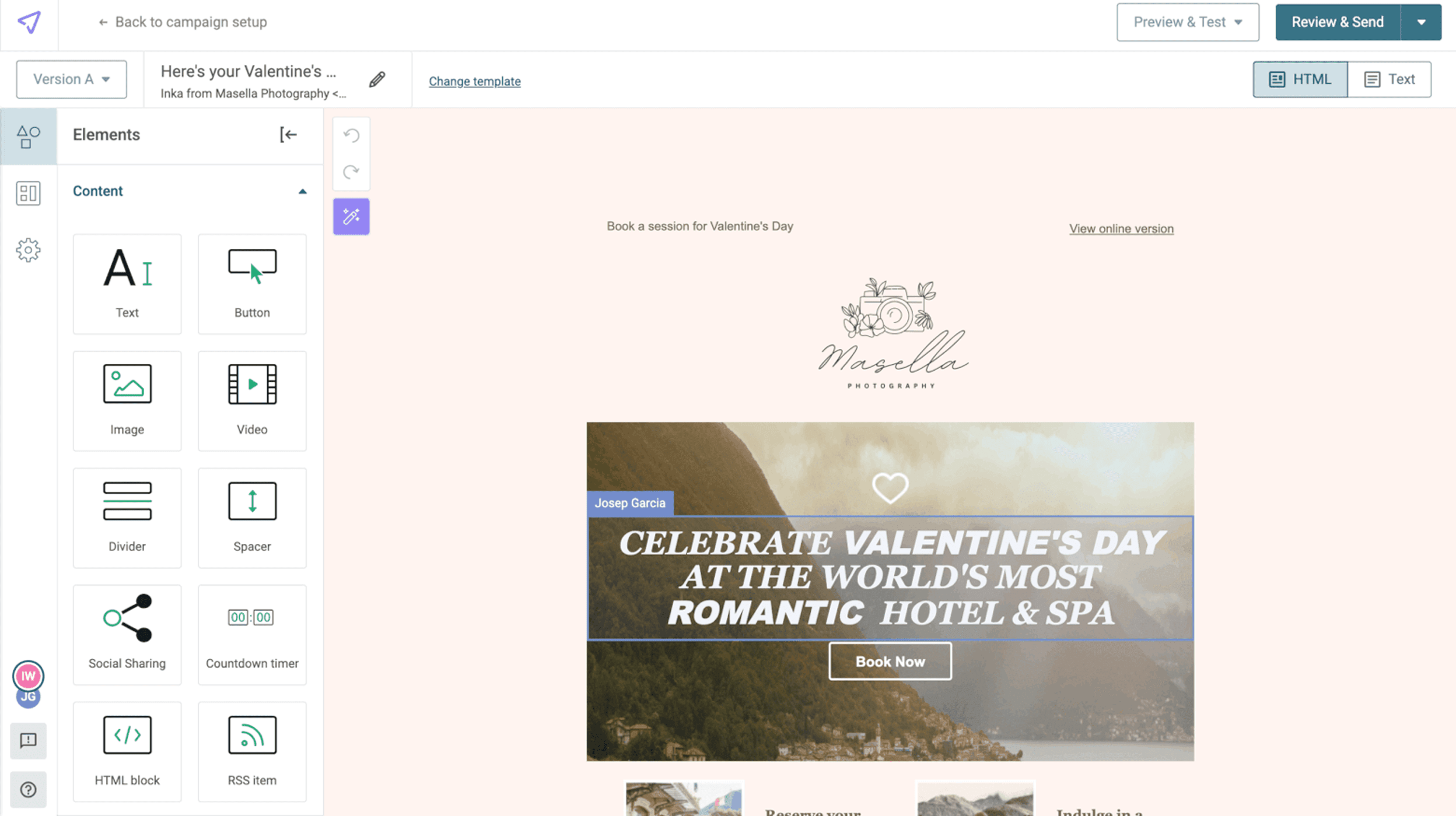
The generated draft landed directly in the email editor, fully editable. No copy-paste, no conversion step, no “export to editor”. Every element, headline, body copy, image, layout block, was immediately selectable and changeable. The mental model we aimed for: “This is a really good first draft from someone who knows my brand.”
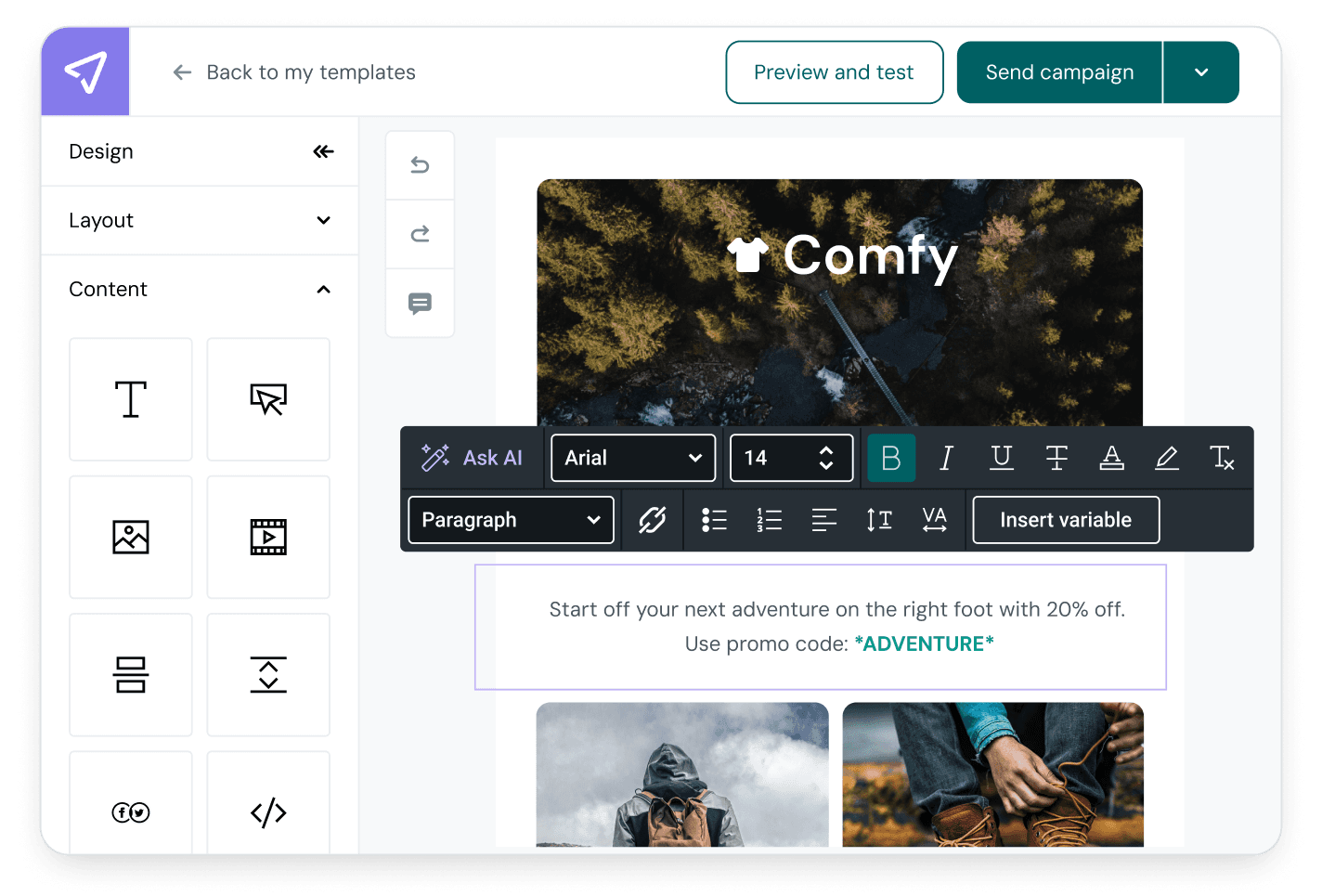
Editable output state, generated template with editable affordances highlighted
Guardrails that stayed quiet
Constraints were designed to be felt, not seen. Output was scoped to realistic lengths and structures. Fallbacks handled edge cases gracefully. Error states gave users a clear next step rather than a dead end. The goal was a system that felt predictable and safe, one where users could trust that experimenting with a new prompt wouldn’t produce something embarrassing or unusable.
The numbers from the first quarter after launch made a clear case, and a few of them genuinely surprised us.
* Measured from send data in Q1 2024 across all AI-generated vs. manually-built campaigns; not a controlled A/B test.
Speed and quality aren’t a trade-off
The 12% CTR lift was the result we hadn’t fully anticipated. It suggests that AI-generated templates weren’t just faster to produce, they were structurally better: clearer hierarchy, better-scoped content, more consistent visual weight. The constraints we built in as guardrails turned out to produce better outcomes than unconstrained manual creation.
Adoption without a push
45% of eligible accounts used the generator within three months, and the majority came in organically, without a dedicated activation campaign. That kind of uptake is a strong signal that the feature was solving something users already felt, not something we had to convince them to care about.
Volume unlocked experimentation
Three times more campaigns per user wasn’t just a productivity stat. It meant users were testing more subject lines, trying seasonal sends they would have skipped before, and treating campaigns as low-stakes experiments rather than high-effort commitments. Lower friction changed how people thought about what was worth sending.
The AI Template Generator proved a principle worth carrying forward: AI earns its place in a workflow by narrowing scope, clarifying intent, and staying quiet when it should. The moments where it added the most value weren’t the flashiest ones, they were the moments of hesitation, the blank page, the “I don’t know where to start.”
The Brand Kit dependency also meant this project reinforced infrastructure that was already in place. The generator couldn’t produce trustworthy output without reliable brand context at the system level, and that connection strengthened the case for both features. Each made the other more valuable.
For the business, the adoption numbers, the CTR improvement, and meaningful new ARR at launch made a strong argument for AI investment in the platform, not as a headline feature, but as a quiet accelerant woven into the parts of the workflow where users were most likely to give up.
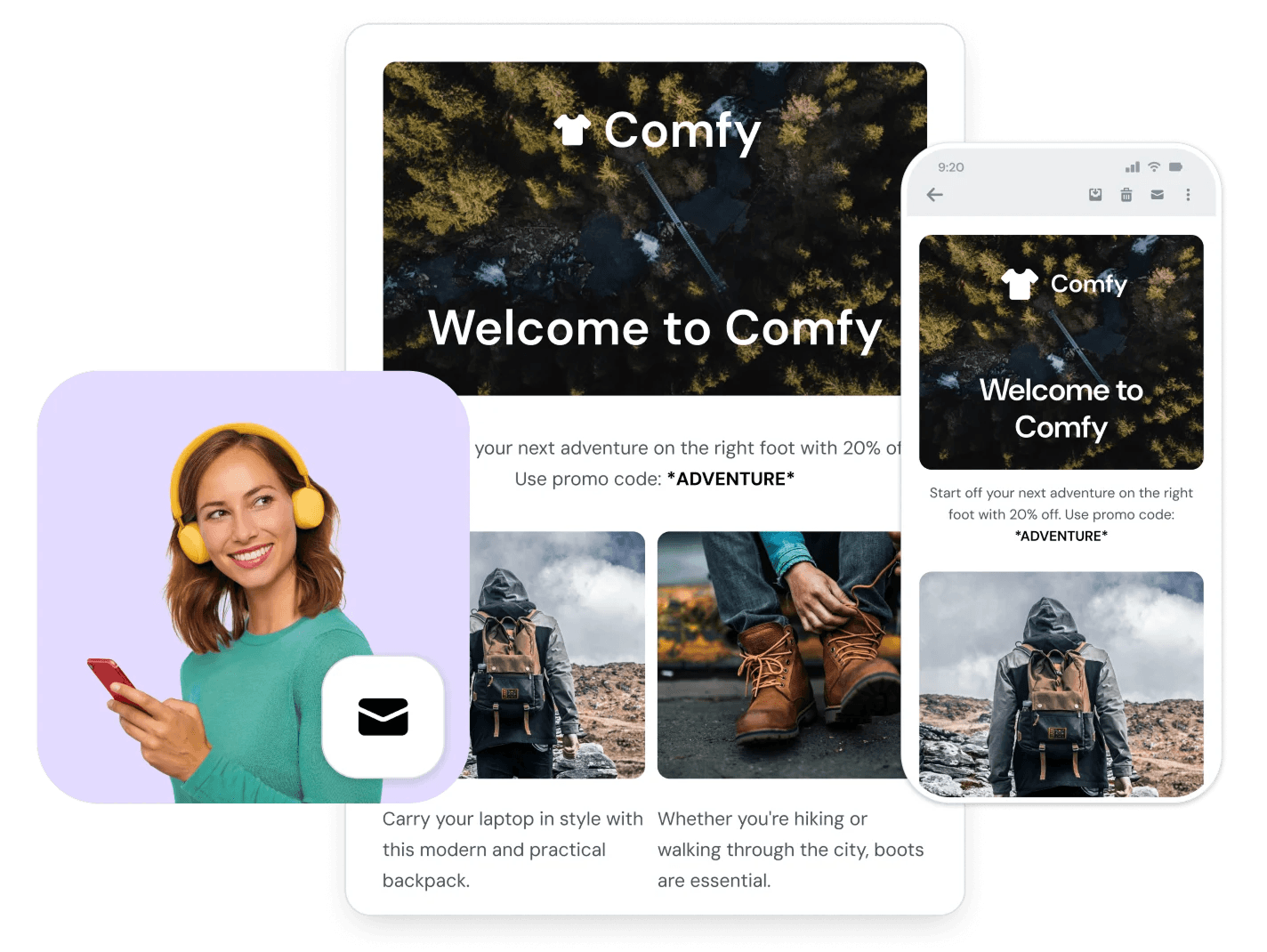
Cross-System Impact
The Brand Kit dependency also meant the two features reinforced each other. The generator needed reliable brand context to produce trustworthy output, and that connection made both features more valuable.
The biggest lesson from this project was about restraint. The instinct with generative AI is to show off what it can do, the range, the creativity, the surprising outputs. What actually worked was doing less: constraining the output, softening the language, making it easy to edit. The AI was most useful when it was least visible.
I also came away with a clearer picture of where AI genuinely helps versus where it just shifts the work. It helped enormously with starting. It didn’t help much with finishing, users still wanted control over the final send. Designing around that distinction, AI handles the cold start, humans handle the last mile, is the model I’d apply to any future AI feature work.